Microsoft PowerPoint Certification


Why you should study with us
Microsoft PowerPoint Certification
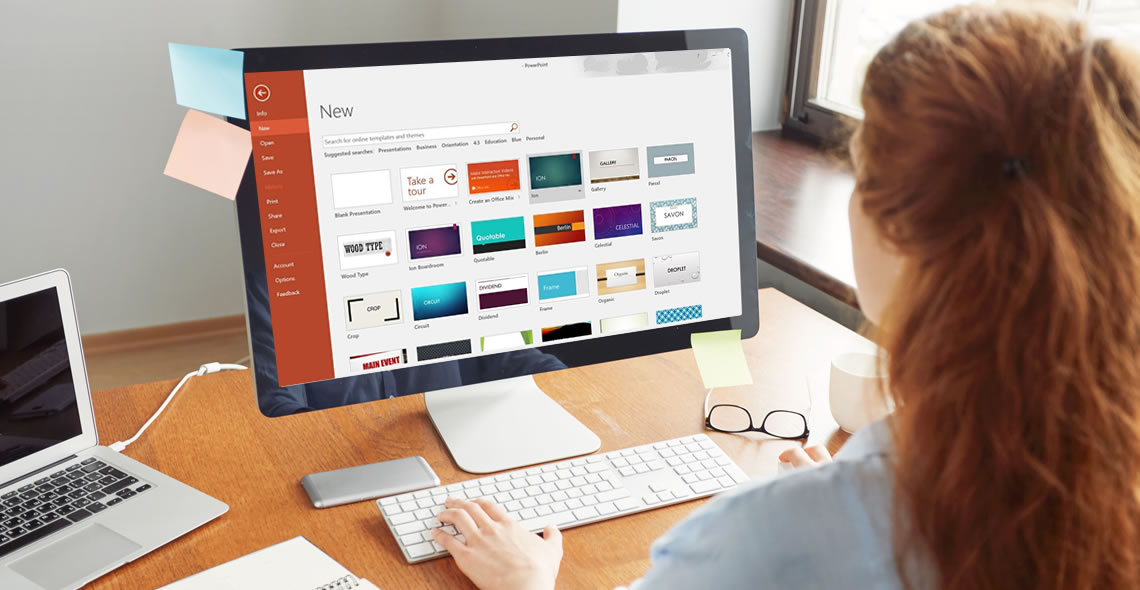
The Microsoft PowerPoint Certification is ideal for individuals who would like to learn how to create and deliver multimedia presentations.
Please note: This course uses the Microsoft 365 version of PowerPoint. Any other versions will have some differences in the functions.
This training course provides all the information you will need to begin using PowerPoint in a wide variety of careers. PowerPoint is a program within Microsoft Office that can be utilised to create professional slideshows, videos and presentations.
As you work through this course, you will gain a comprehensive overview of the different features including handouts, slide presentations and more. You will also acquire the skills necessary to add text, images and charts within your presentations.
As this is an online course, students are offered the unique opportunity to study the curriculum at their own pace. This means that course material is available 24 hours a day, enabling you to study anytime, anywhere. Many students who take the courses are even able to continue working full time, while finishing their coursework in a reasonable amount of time.
Your coursework is accessible from any Internet-enabled device, and you will receive online support while you train. Additionally, you will find the course to be incredibly easy to navigate thanks to our flexible modules. Upon course completion, you must pass a multiple-choice exam and then you will be awarded your certification. Once you receive your certification, you can print it from home or we can post it for you for a small fee.
What You Will Learn
This course has been written to provide students with the information necessary to create presentations and is designed to put you on the fast track to success. This course covers the following information:
- How to create and save a PowerPoint presentation
- How to add, delete and arrange multiple slides
- How to insert charts, captions, quotes and name cards
- Inserting and formatting text within your slides
- Working with text alignment, bullet points, line spacing and columns
- How to utilise text direction and vertical alignment
- Inserting images, shapes, charts and creating photo albums
- How to insert online and screenshot images
- How to insert tables, text boxes, headers and footers
- Using SmartArt and other formatting features
- Converting your presentations into different formats
- How to add and edit hyperlinks
- Transitions and animations
- Using spellcheck and thesaurus
- How to create and add screen recordings within your slides
- Using linking and annotation features
- Adding notes and comments
- How to use the handout and notes master tools
Benefits of the Microsoft PowerPoint Course Certification
Students enrolled in this course will benefit from the following:
- The option to study from any location with a valid internet connection, anytime that you find convenient.
- The ability to study at a pace that you find comfortable. Since there is no time limit for this course, if it takes you days or months, you will still complete your training.
- You can study from any device including a tablet, PC or mobile phone.
- Easy to manage course modules, which makes studying an enjoyable experience.
- Convenient online support is available while you train.
- Access to a comprehensive syllabus, which helps you to stay on track while learning how to design PowerPoint presentations.
- Improve your job prospects while applying for work.
- Receive a certified and recognised qualification.
- Affordable tuition.
This course includes
24/7 Student Support
End of course certification
Lifetime access to your course
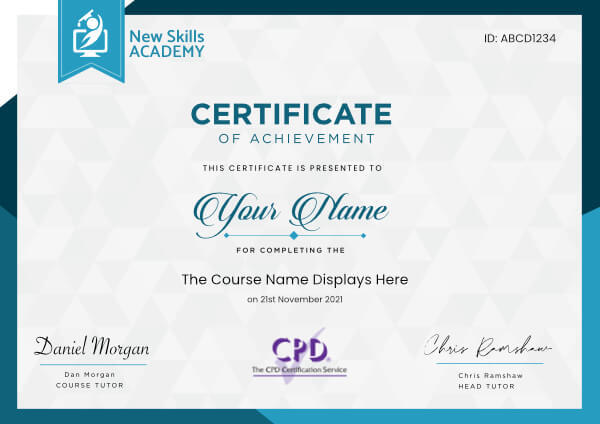
 ID: YDFT67YHJ
of achievement
This certificate is presented to
Your Name

For completing the
Microsoft PowerPoint Certification
on 21st November 2026
Selena Hurford
Selena Hurford
Course Tutor

Daniel Morgan
Daniel Morgan
Head of Academy
Anyone who has an interest in learning more about this subject matter is encouraged to take the course. There are no entry requirements to take the course.
The course is broken down into 45 individual modules. Each module takes between 20 and 90 minutes on average to study. Although you are free to spend as much or as little time as you feel necessary on each module, simply log in and out of the course at your convenience.
You can study the course any time you like. Simply log in and out of the web based course as often as you require. The course is compatible with all computers, tablet devices and smart phones so you can even study while on the move!
Once you have completed all 45 modules there is a multiple choice test. The questions will be on a range of topics found within the 45 modules. The test, like the course, is online and can be taken a time and location of your choosing.
The pass mark for the test is 70%.
If you don’t pass the test first time you will get further opportunities to take the test again after extra study. There are no limits to the number of times you can take the test. All test retakes are included within the price of the course.
You can either use your Visa, MasterCard, American Express, Solo cards or PayPal account to pay for the online course. Our site uses the latest SSL encryption to ensure your safety. All payments are handled securely by PayPal.
You can begin the course immediately after your payment has been received. You will create your login details during the checkout process. We will also send you an email confirming your login details.
We estimate that the course will take about 15 hours to complete in total, plus an additional 30 minutes for the end of course test.
Once you have been awarded your certificate it is valid for life. The certificate does not expire or need renewing.
loved this course. I feel I could start my own business if I choose to but I prefer working for a company that is already established.
I found this course easy to understand and follow and found it highly useful that I could pick it up and leave it as I wished so I could fit it in around my life.
I am currently scouring the internet and papers and phoning companies in order to find myself employment with in this field of work.
I cannot thank this company enough for enabling me to fulfil a life dream of working with animals.

Lorraine Redknapp
I was already quite proficient in many areas that this course covers as I have worked similar jobs before but felt I could benefit from a qualification. This is a very in depth course that covers all areas of being a personal assistant, even ones that I wouldn’t have ever considered needing to learn.
The in-depth learning has built my confidence to put myself out there and try to get back into this career path. I particularly found the section on faxing to be very useful as it’s something that is done in most offices that I’ve found it difficult to come to grips with in the past.
I am already eyeing up more courses on the site and will be sure to give them a try soon.

Maria Casey
I am over the moon with my experience in completing my first online course with New Skills Academy. I found the whole process quick and efficient and the site very easy to navigate. I found it helpful to complete short tests at the end of each module as I feel this help to review the information I have read and confirm that I understood it and could retain the information as well. I found the course to be very well written and the information provided to be interesting and relevant to the course and the final test to be efficient in recapping everything I had learnt throughout the course. I completely the course quite quickly as was able to study using my iPhone as the course was iOS compatible which I found to be the best way of accessing the course, information and tests. I'm thrilled that I passed my first course and can't wait to get started on the next one. Thank you for such a positive and rewarding experience.
Lisa Simmons
Great support from tutors and IT staff! Emails are always answered quickly, even on late nights and early mornings. Good clear lay out across the website, very easy to navigate and keep track of modules completed.
Would highly recommend to anyone looking to gain more knowledge in their own time and develop in the area. I completed this course on my commute to and from work. I also received a student card with this course that was great to benefit discounts from.
I am already thinking about what other courses I can start with New Skills Academy as soon as possible!

Sarah Howden
I am so impressed with this course. For starters it was hugely discounted which saved me money, secondly it is really easy to use. It is jam packed with information yet so easy to follow and they layout is very clean, clear and precise. I have learnt so much from this course already and I can even revisit modules as and when I need to. If you are an aspiring Makeup Artist, then this course will definitely lead you on the right path and it teaches you how to deal with clients and how to get the best out of your career.

Esther Lawrence
My son has Aspergers Syndrome, so when this course Autism Awareness Diploma came up with 90% off just after Christmas, I thought I would like to do it. There was no pressure on myself and progressed at my own pace, the course is very informative with lots of hints and tips. The process of going through the Modules and assignments was also very easy to do. The cost of the course was expensive if I hadn't had 90% off. I wouldn't hesitate in recommending New Skills Academy courses to other people for their informative and ease of usage. I really enjoyed it.

Dawn Hughes
Microsoft PowerPoint Certification
The Microsoft PowerPoint Certification is ideal for individuals who would like to learn how to create and deliver multimedia presentations.
Please note: This course uses the Microsoft 365 version of PowerPoint. Any other versions will have some differences in the functions.
This training course provides all the information you will need to begin using PowerPoint in a wide variety of careers. PowerPoint is a program within Microsoft Office that can be utilised to create professional slideshows, videos and presentations.
As you work through this course, you will gain a comprehensive overview of the different features including handouts, slide presentations and more. You will also acquire the skills necessary to add text, images and charts within your presentations.
As this is an online course, students are offered the unique opportunity to study the curriculum at their own pace. This means that course material is available 24 hours a day, enabling you to study anytime, anywhere. Many students who take the courses are even able to continue working full time, while finishing their coursework in a reasonable amount of time.
Your coursework is accessible from any Internet-enabled device, and you will receive online support while you train. Additionally, you will find the course to be incredibly easy to navigate thanks to our flexible modules. Upon course completion, you must pass a multiple-choice exam and then you will be awarded your certification. Once you receive your certification, you can print it from home or we can post it for you for a small fee.
What You Will Learn
This course has been written to provide students with the information necessary to create presentations and is designed to put you on the fast track to success. This course covers the following information:
- How to create and save a PowerPoint presentation
- How to add, delete and arrange multiple slides
- How to insert charts, captions, quotes and name cards
- Inserting and formatting text within your slides
- Working with text alignment, bullet points, line spacing and columns
- How to utilise text direction and vertical alignment
- Inserting images, shapes, charts and creating photo albums
- How to insert online and screenshot images
- How to insert tables, text boxes, headers and footers
- Using SmartArt and other formatting features
- Converting your presentations into different formats
- How to add and edit hyperlinks
- Transitions and animations
- Using spellcheck and thesaurus
- How to create and add screen recordings within your slides
- Using linking and annotation features
- Adding notes and comments
- How to use the handout and notes master tools
Benefits of the Microsoft PowerPoint Course Certification
Students enrolled in this course will benefit from the following:
- The option to study from any location with a valid internet connection, anytime that you find convenient.
- The ability to study at a pace that you find comfortable. Since there is no time limit for this course, if it takes you days or months, you will still complete your training.
- You can study from any device including a tablet, PC or mobile phone.
- Easy to manage course modules, which makes studying an enjoyable experience.
- Convenient online support is available while you train.
- Access to a comprehensive syllabus, which helps you to stay on track while learning how to design PowerPoint presentations.
- Improve your job prospects while applying for work.
- Receive a certified and recognised qualification.
- Affordable tuition.
This course includes
24/7 Student Support
End of course certification
Lifetime access to your course
ID: YDFT67YHJ
of achievement
This certificate is presented to
Your Name
For completing the
Microsoft PowerPoint Certification
on 21st November 2026
Selena Hurford
Selena Hurford
Course Tutor
Daniel Morgan
Daniel Morgan
Head of Academy
Anyone who has an interest in learning more about this subject matter is encouraged to take the course. There are no entry requirements to take the course.
The course is broken down into 45 individual modules. Each module takes between 20 and 90 minutes on average to study. Although you are free to spend as much or as little time as you feel necessary on each module, simply log in and out of the course at your convenience.
You can study the course any time you like. Simply log in and out of the web based course as often as you require. The course is compatible with all computers, tablet devices and smart phones so you can even study while on the move!
Once you have completed all 45 modules there is a multiple choice test. The questions will be on a range of topics found within the 45 modules. The test, like the course, is online and can be taken a time and location of your choosing.
The pass mark for the test is 70%.
If you don’t pass the test first time you will get further opportunities to take the test again after extra study. There are no limits to the number of times you can take the test. All test retakes are included within the price of the course.
You can either use your Visa, MasterCard, American Express, Solo cards or PayPal account to pay for the online course. Our site uses the latest SSL encryption to ensure your safety. All payments are handled securely by PayPal.
You can begin the course immediately after your payment has been received. You will create your login details during the checkout process. We will also send you an email confirming your login details.
We estimate that the course will take about 15 hours to complete in total, plus an additional 30 minutes for the end of course test.
Once you have been awarded your certificate it is valid for life. The certificate does not expire or need renewing.
loved this course. I feel I could start my own business if I choose to but I prefer working for a company that is already established.
I found this course easy to understand and follow and found it highly useful that I could pick it up and leave it as I wished so I could fit it in around my life.
I am currently scouring the internet and papers and phoning companies in order to find myself employment with in this field of work.
I cannot thank this company enough for enabling me to fulfil a life dream of working with animals.
Lorraine Redknapp
I was already quite proficient in many areas that this course covers as I have worked similar jobs before but felt I could benefit from a qualification. This is a very in depth course that covers all areas of being a personal assistant, even ones that I wouldn’t have ever considered needing to learn.
The in-depth learning has built my confidence to put myself out there and try to get back into this career path. I particularly found the section on faxing to be very useful as it’s something that is done in most offices that I’ve found it difficult to come to grips with in the past.
I am already eyeing up more courses on the site and will be sure to give them a try soon.
Maria Casey
I am over the moon with my experience in completing my first online course with New Skills Academy. I found the whole process quick and efficient and the site very easy to navigate. I found it helpful to complete short tests at the end of each module as I feel this help to review the information I have read and confirm that I understood it and could retain the information as well. I found the course to be very well written and the information provided to be interesting and relevant to the course and the final test to be efficient in recapping everything I had learnt throughout the course. I completely the course quite quickly as was able to study using my iPhone as the course was iOS compatible which I found to be the best way of accessing the course, information and tests. I'm thrilled that I passed my first course and can't wait to get started on the next one. Thank you for such a positive and rewarding experience.
Lisa Simmons
Great support from tutors and IT staff! Emails are always answered quickly, even on late nights and early mornings. Good clear lay out across the website, very easy to navigate and keep track of modules completed.
Would highly recommend to anyone looking to gain more knowledge in their own time and develop in the area. I completed this course on my commute to and from work. I also received a student card with this course that was great to benefit discounts from.
I am already thinking about what other courses I can start with New Skills Academy as soon as possible!
Sarah Howden
I am so impressed with this course. For starters it was hugely discounted which saved me money, secondly it is really easy to use. It is jam packed with information yet so easy to follow and they layout is very clean, clear and precise. I have learnt so much from this course already and I can even revisit modules as and when I need to. If you are an aspiring Makeup Artist, then this course will definitely lead you on the right path and it teaches you how to deal with clients and how to get the best out of your career.
Esther Lawrence
My son has Aspergers Syndrome, so when this course Autism Awareness Diploma came up with 90% off just after Christmas, I thought I would like to do it. There was no pressure on myself and progressed at my own pace, the course is very informative with lots of hints and tips. The process of going through the Modules and assignments was also very easy to do. The cost of the course was expensive if I hadn't had 90% off. I wouldn't hesitate in recommending New Skills Academy courses to other people for their informative and ease of usage. I really enjoyed it.
Dawn Hughes
Why you should study with us
Learn with confidence...

 RRP
$100
RRP
$100
Get a FREE Course
Tick this box to Sign up for our newsletter, and get access to the Interview Skills and CV Writing Certificate course for free! By signing up, you agree to our Privacy Notice & Cookie Policy and to receive marketing and related emails from academy+ brands. You can unsubscribe at any time.What our students say about us...

Omg im so excited, over joyed and all the good stuff that comes to mind! Wonderful experience doing lessons with New Skills Academy. I look foward to doing more courses with them. I hope this will encourage others to come on board and refresh your minds or to learn something new, it's a win win situation. I want to thank New Skills Academy so much for making this as simple as possible for me.
Shari Anderson

I took up this course initially to help me with my own dog, but found that as I worked through the material I actually started thinking that this could be something that I could use to make a second income. From start to finish I found the course engaging and interesting. I am now doing another dog related course and am experiencing the same level of enjoyment. I would recommend New Skills Academy without hesitation.
Keith Smith

I found this course incredibly useful, as it provided me with practical knowledge which I can implement in my role as a Support Worker. The videos were clear and concise, and the downloadable worksheets reinforced what I had learned as I was able to put pen to paper. Overall, a fantastic course for a great price! I am looking forward to taking on my next one.
Teleisha Harley

The course was clearly set out with helpful end of week tests which built my knowledge. Being dyslexic I found the course was set out in an easy to understand way. I was able to pass the test on my first attempt. The downloaded pdf are a useful resource that you can keep forever. Looking forward to the next course
Ross Dunsten
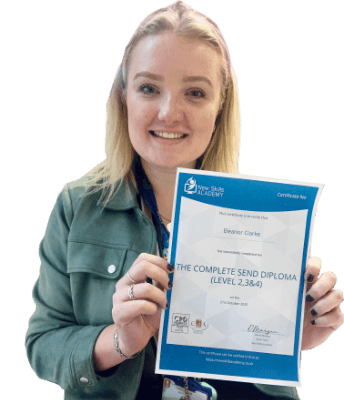
It was an eye opening course that was flexible and easy to access. I was able to complete it from the comfort of my own home whilst also having the tasks to complete which enabled me to check my knowledge. I know feel much more confident in my field of work and really enjoyed doing it.
Ellie Clarke

Wow what an incredible insight for the start of anyone's journey in property. This course gives you so much information and there are tests and questions on each of the modules. The course is very easy to follow and well laid out. You can actually make notes on the pages of each module using the notes tab! I am very excited to say that I passed and I only spent one week on this course. I will print all the PDF information and keep it in a file with my certificate. I feel very confident for my future plans now I have completed this course.
Nichola Anderson

Fantastic course! Well-presented and challenging with frequent assessments. I feel a serious sense of accomplishment having not studied for over 30 years! Videos that accompany each module are carefully thought out and informative. Am so impressed with this course, have now signed up for 3 other courses and recommending New Skills Academy to everyone!
Marva Hudson
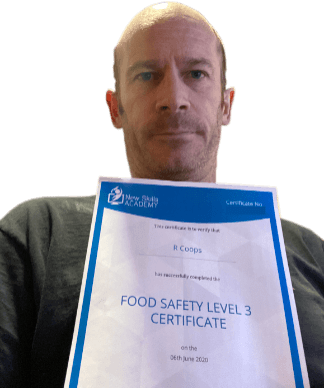
Yet another well laid out course. This is my 3rd course so far with New Skills Academy.
More than likely will be back for another one soon. This course was enjoyable to do, and I learnt a lot and passed first try. My certificate will be up on the wall soon.
Rob Coops