Learning Blog
A Guide to the Excel Wizard

Written by Lizzie Learn
On 29th Dec 2023
The Excel Wizard is essentially a set of interactive, step-by-step tools designed to guide users through specific tasks.
These wizards serve as virtual assistants, providing assistance in creating complex formulas, charts, graphs, and more. The goal is to simplify the user experience, especially for those who may be less familiar with Excel's advanced functionalities.
Key Features and Wizards in Excel
1. Formula Auditing Wizard
- This wizard helps users trace and analyse formulas in a spreadsheet. It assists in identifying errors, understanding dependencies between cells, and ensuring the accuracy of complex calculations.
2. Chart Wizard
- Creating visually appealing charts is made easy with the Chart Wizard. Users can select the data they want to visualize, and the wizard guides them through the process of choosing the chart type, formatting axes, adding titles, and more.
3. PivotTable Wizard
- PivotTables are powerful tools for data analysis, and the PivotTable Wizard simplifies the process of creating them. Users can choose the data range, specify row and column labels, and apply filters and calculations effortlessly.
4. Data Import Wizard
- For users working with external data sources, the Data Import Wizard makes it straightforward to connect to various data repositories, such as databases, CSV files, and online sources. It guides users through the process of importing and transforming external data into Excel.
5. Scenario Manager Wizard
- Scenarios in Excel allow users to create and compare different sets of input values. The Scenario Manager Wizard assists users in defining and managing scenarios, making it easier to analyze and compare multiple versions of a spreadsheet.
How to Access the Excel Wizard
Accessing the Excel Wizard is a simple process:
- Navigate to the Ribbon at the top of the Excel interface.
- Depending on the version of Excel, you may find specific wizards under the "Formulas," "Insert," "Data," or other tabs.
- Look for options like "Formula Auditing," "Insert Chart," "PivotTable," etc.
- Click on the corresponding wizard option to initiate the step-by-step guide.
Benefits of Using the Excel Wizard
1. Simplicity for Beginners
- The Excel Wizard is an excellent resource for beginners, providing a guided approach to performing tasks that might otherwise seem complex.
2. Timesaving
- For experienced users, the Excel Wizard can still be a time-saving tool, allowing for quick execution of routine tasks without the need to navigate through multiple menus.
3. Reduced Errors
- Wizards help reduce errors by guiding users through each step of a process, ensuring that essential elements are not overlooked.
4. Consistency in Output
- The Wizard ensures a consistent output, especially when creating charts, graphs, or other visual elements. This consistency contributes to the overall professional appearance of the spreadsheet.
Conclusion
The Excel Wizard is a hidden gem within Microsoft Excel, offering users a simplified, step-by-step approach to accomplishing various tasks. Whether you're a novice seeking guidance or an experienced user looking to streamline your workflow, the Excel Wizard is a valuable tool that can enhance your efficiency and proficiency in spreadsheet management. Don't be afraid to explore and leverage the magic of the Excel Wizard to unlock the full potential of your data manipulation and analysis capabilities.
Learn with confidence...


 RRP
$100
RRP
$100
Get a FREE Course
Tick this box to Sign up for our newsletter, and get access to the Interview Skills and CV Writing Certificate course for free! By signing up, you agree to our Privacy Notice & Cookie Policy and to receive marketing and related emails from academy+ brands. You can unsubscribe at any time.What our students say about us...

I took up this course initially to help me with my own dog, but found that as I worked through the material I actually started thinking that this could be something that I could use to make a second income. From start to finish I found the course engaging and interesting. I am now doing another dog related course and am experiencing the same level of enjoyment. I would recommend New Skills Academy without hesitation.
Keith Smith

The course was clearly set out with helpful end of week tests which built my knowledge. Being dyslexic I found the course was set out in an easy to understand way. I was able to pass the test on my first attempt. The downloaded pdf are a useful resource that you can keep forever. Looking forward to the next course
Ross Dunsten

Yet another well laid out course. This is my 3rd course so far with New Skills Academy.
More than likely will be back for another one soon. This course was enjoyable to do, and I learnt a lot and passed first try. My certificate will be up on the wall soon.
Rob Coops

Wow what an incredible insight for the start of anyone's journey in property. This course gives you so much information and there are tests and questions on each of the modules. The course is very easy to follow and well laid out. You can actually make notes on the pages of each module using the notes tab! I am very excited to say that I passed and I only spent one week on this course. I will print all the PDF information and keep it in a file with my certificate. I feel very confident for my future plans now I have completed this course.
Nichola Anderson
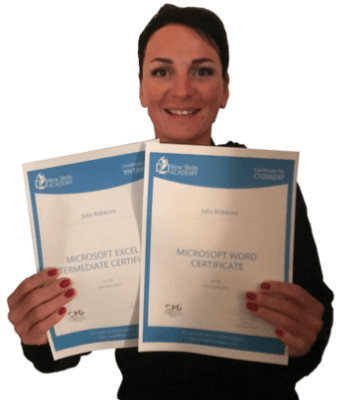
This is a great course for any level of knowledge. Very easy to navigate, great practical tasks and explanations are very clear. You can revise any module with no problem. The test wasn’t too hard if you completed every module. It may be handy to make some notes before you start. Overall I'm very happy with my choice. Thank you New skills for my New skills :)
Julia Bobkova

I found this course incredibly useful, as it provided me with practical knowledge which I can implement in my role as a Support Worker. The videos were clear and concise, and the downloadable worksheets reinforced what I had learned as I was able to put pen to paper. Overall, a fantastic course for a great price! I am looking forward to taking on my next one.
Teleisha Harley
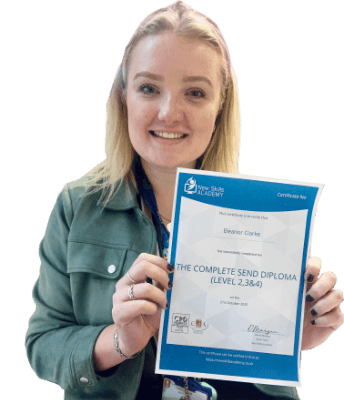
It was an eye opening course that was flexible and easy to access. I was able to complete it from the comfort of my own home whilst also having the tasks to complete which enabled me to check my knowledge. I know feel much more confident in my field of work and really enjoyed doing it.
Ellie Clarke

This course is a great way to brush up on my rusty excel skills, I recommend this course to anyone looking for something to do during lockdown, it's easy to use and talks you through each stage step by step. It has given me the confidence I need to further my career.
Georgia Darke