Learning Blog
LAMBDA

Written by Lizzie Learn
On 5th Mar 2024
LAMBDA is used to define custom calculations in Excel.
It allows you to create your own formulas that can use values stored in various cells, allowing you to easily manipulate data. This makes it an invaluable tool for dealing with large datasets, as it greatly simplifies the process of creating formulas.
To begin, enter the name of the function into the formula bar. From there, you can specify the parameters for the function. The parameters are the arguments of the function and allow you to specify the variables in your calculation. These variables can either be individual values, such as numbers or text, or other typical Microsoft Excel functions, such as AVERAGE or VLOOKUP.
The syntax for the LAMBDA function is as follows: LAMBDA(parameters, expression). The parameters are any variables you want the function to consider during the calculation, while the expression is what the function will return based on these parameters. After entering the necessary variables and expression, press the enter key. This will tell Excel to start the calculation.
Once the calculation is complete, the result of the calculation will be displayed in the cell where the formula was entered. To make any changes, you can simply edit the parameters or expression and Excel will calculate the new result.
One way to use LAMBDA in Excel is as a multi-parameter formula, which allows you to define multiple criteria. Let’s take a look at an example of this. Say we want to find out how many cells in a column are greater than 100. We could use the LAMBDA function to do this.
In this example, our function would be something like this:
=LAMBDA(A1:A5,A1>100)
This would return the number of cells in column A that have a value greater than 100.
Another way to use LAMBDA is to generate results from multiple data sets, such as multiple columns or multiple sheets.
=LAMBDA((Sheet A!A1:A5, Sheet B!A1:A5), A1>100)
This would return the number of cells in both Sheet A and Sheet B that are greater than 100.
Using LAMBDA in this way allows you to quickly and easily generate results from multiple data sets without having to manually add together the results from each set.
You can find out more on the Microsoft website.
Learn with confidence...


 RRP
$100
RRP
$100
Get a FREE Course
Tick this box to Sign up for our newsletter, and get access to the Interview Skills and CV Writing Certificate course for free! By signing up, you agree to our Privacy Notice & Cookie Policy and to receive marketing and related emails from academy+ brands. You can unsubscribe at any time.What our students say about us...

Yet another well laid out course. This is my 3rd course so far with New Skills Academy.
More than likely will be back for another one soon. This course was enjoyable to do, and I learnt a lot and passed first try. My certificate will be up on the wall soon.
Rob Coops

I am a doctor. This course is well organized, covering all areas of CBT. The videos and practical tips are very helpful. All the modules are arranged with good explanations and examples. Also each module consists of quick test and assignment which enables you to gain knowledge. Finally I would like to thank the New Skills Academy team.
Dr. M. Arshad

Omg im so excited, over joyed and all the good stuff that comes to mind! Wonderful experience doing lessons with New Skills Academy. I look foward to doing more courses with them. I hope this will encourage others to come on board and refresh your minds or to learn something new, it's a win win situation. I want to thank New Skills Academy so much for making this as simple as possible for me.
Shari Anderson
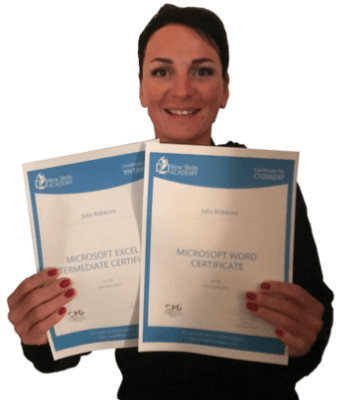
This is a great course for any level of knowledge. Very easy to navigate, great practical tasks and explanations are very clear. You can revise any module with no problem. The test wasn’t too hard if you completed every module. It may be handy to make some notes before you start. Overall I'm very happy with my choice. Thank you New skills for my New skills :)
Julia Bobkova

Lovely course for people who want to know the basics and of sign language. It's has helped me to get more of an understanding and will greatly benefit me in my workplace. So easy to pick up and the videos were easy to understand. Would definitely recommend to anyone.
Chloe Hambly
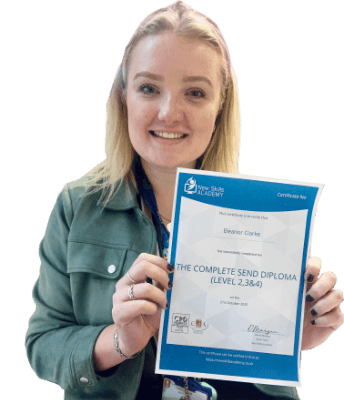
It was an eye opening course that was flexible and easy to access. I was able to complete it from the comfort of my own home whilst also having the tasks to complete which enabled me to check my knowledge. I know feel much more confident in my field of work and really enjoyed doing it.
Ellie Clarke

The course was clearly set out with helpful end of week tests which built my knowledge. Being dyslexic I found the course was set out in an easy to understand way. I was able to pass the test on my first attempt. The downloaded pdf are a useful resource that you can keep forever. Looking forward to the next course
Ross Dunsten

Wow what an incredible insight for the start of anyone's journey in property. This course gives you so much information and there are tests and questions on each of the modules. The course is very easy to follow and well laid out. You can actually make notes on the pages of each module using the notes tab! I am very excited to say that I passed and I only spent one week on this course. I will print all the PDF information and keep it in a file with my certificate. I feel very confident for my future plans now I have completed this course.
Nichola Anderson