Learning Blog
Understanding Arrays in Excel

Written by Lizzie Learn
On 29th Dec 2023
An array in Excel is a collection of values or a range of cells that are grouped together.
Arrays enable users to perform calculations on multiple data points simultaneously, making it a valuable tool for tasks ranging from simple calculations to complex data analysis.
There are two primary types of arrays in Excel: single-cell arrays and multi-cell arrays.
1. Single-cell arrays
A single-cell array consists of a single formula that calculates a result based on multiple values. By using functions such as SUM, AVERAGE, MAX, or MIN, you can easily perform calculations across a range of cells without the need for a separate formula for each cell.
For example, to calculate the sum of a range of numbers in cells A1 to A5, you can use the following single-cell array formula:
=SUM(A1:A5)
2. Multi-cell arrays:
Multi-cell arrays, also known as array formulas, allow users to perform complex calculations and operations on multiple cells simultaneously. These formulas are enclosed in curly braces `{}` and are entered by pressing Ctrl + Shift + Enter instead of just Enter.
For instance, suppose you have two columns of numbers in A1:A5 and B1:B5, and you want to calculate the sum of their products. The array formula would look like this:
{=SUM(A1:A5*B1:B5)}
Remember to use Ctrl + Shift + Enter to input and execute array formulas correctly.
Benefits of Using Arrays
1. Efficiency and Simplicity:
- Arrays help streamline calculations, reducing the need for repetitive formulas and making your worksheets more concise.
- With a single formula, you can perform complex operations on large datasets, improving efficiency and saving time.
2. Dynamic Data Analysis:
- Arrays are particularly useful for dynamic data analysis, allowing users to handle varying dataset sizes without the need for constant formula adjustments.
3. Enhanced Functionality:
- Excel supports a variety of array functions, such as TRANSPOSE, MMULT, and FREQUENCY, which provide powerful tools for advanced data manipulation.
4. Data Validation and Error Handling:
- Arrays can be employed for data validation, ensuring that only specific types of data are accepted in a range of cells.
- They also enable efficient error handling, helping users identify and rectify errors in their calculations.
Conclusion
Arrays offer a powerful means to handle and analyse data efficiently. By leveraging single-cell and multi-cell arrays, users can simplify complex calculations, improve worksheet clarity, and enhance the overall data analysis process. As you explore the capabilities of arrays, you'll discover that they are an invaluable tool for both basic and advanced spreadsheet tasks, providing a more effective way to manage and manipulate data in Excel.
Learn with confidence...



 RRP
$100
RRP
$100
Get a FREE Course
Tick this box to Sign up for our newsletter, and get access to the Interview Skills and CV Writing Certificate course for free! By signing up, you agree to our Privacy Notice & Cookie Policy and to receive marketing and related emails from academy+ brands. You can unsubscribe at any time.What our students say about us...

Lovely course for people who want to know the basics and of sign language. It's has helped me to get more of an understanding and will greatly benefit me in my workplace. So easy to pick up and the videos were easy to understand. Would definitely recommend to anyone.
Chloe Hambly

This course is a great way to brush up on my rusty excel skills, I recommend this course to anyone looking for something to do during lockdown, it's easy to use and talks you through each stage step by step. It has given me the confidence I need to further my career.
Georgia Darke

Yet another well laid out course. This is my 3rd course so far with New Skills Academy.
More than likely will be back for another one soon. This course was enjoyable to do, and I learnt a lot and passed first try. My certificate will be up on the wall soon.
Rob Coops

Omg im so excited, over joyed and all the good stuff that comes to mind! Wonderful experience doing lessons with New Skills Academy. I look foward to doing more courses with them. I hope this will encourage others to come on board and refresh your minds or to learn something new, it's a win win situation. I want to thank New Skills Academy so much for making this as simple as possible for me.
Shari Anderson
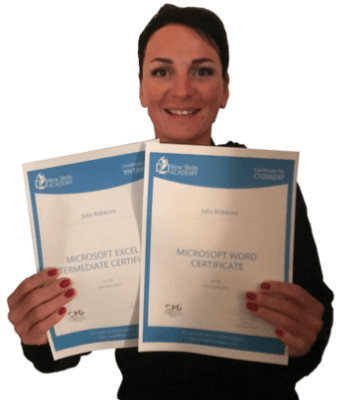
This is a great course for any level of knowledge. Very easy to navigate, great practical tasks and explanations are very clear. You can revise any module with no problem. The test wasn’t too hard if you completed every module. It may be handy to make some notes before you start. Overall I'm very happy with my choice. Thank you New skills for my New skills :)
Julia Bobkova

Very interesting and helpful course. I ve learned a lot of interesting things about make up and the tutorials were very helpful and easy to understand. I really reccomend this course for everyone who is passionate about make up and wish to develop their skills and make a career from their hobby.
Nicoleta Lucaci

It was an eye opening course that was flexible and easy to access. I was able to complete it from the comfort of my own home whilst also having the tasks to complete which enabled me to check my knowledge. I know feel much more confident in my field of work and really enjoyed doing it.
Ellie Clarke

I found this course incredibly useful, as it provided me with practical knowledge which I can implement in my role as a Support Worker. The videos were clear and concise, and the downloadable worksheets reinforced what I had learned as I was able to put pen to paper. Overall, a fantastic course for a great price! I am looking forward to taking on my next one.
Teleisha Harley