Microsoft Mail Merge Certificate


Why you should study with us
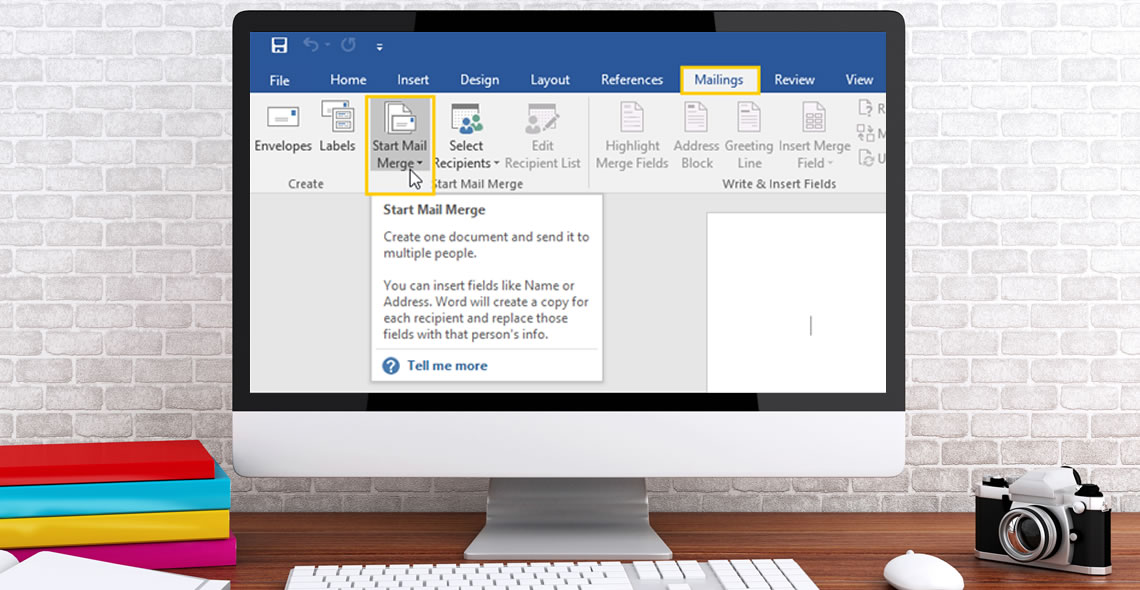
Microsoft Mail Merge Certificate Course
Mail merge is one of Microsoft’s most powerful Office features, especially for those who work in offices or who deal with mailings in their day-to-day lives. Without it, you need to type multiple names and mailing addresses, risking typos or other errors. These types of errors may mean that your intended recipient never gets the document or communication. In a worst-case scenario, it may even mean that a vital message goes to the wrong client, leading to confidentiality issues. Learning how to use mail merge properly can save you a lot of time, while also protecting you against unintentional privacy breaches.
This course goes into detail about how to use the most common and practical features of this invaluable tool, which is built into all versions of Microsoft Office. We begin by introducing you to the general things you need to know when preparing a mailing list, including how to use Excel and Outlook contacts for your mail merge list. Next, we move on to giving you a step-by-step guide on how to use mail merge for labels and envelopes, as well as applying it to more advanced tasks such as mass emails or letters.
You Will Learn:
- How to use Excel to prepare your mailing list
- How to use the mail merge feature for personalised emails containing the same basic content
- What you need to keep in mind when using mail merge with Outlook
- How to create a mass letter with customised information for different clients
- How to take mail merge one step further
Benefits of Taking this Course
- Learning how to use mail merge to avoid duplicating your work or making mistakes
- Understanding how to use mail merge for a variety of useful functions, including labels, envelopes, letters and emails
- Why mail merge is an essential tool that anyone who works in an office should learn
- Tips on the best way to start compiling a mailing list and which program is the easiest one to use when carrying out this task
- Learning how to benefit from an underused tool in a step-by-step way, making it easy to incorporate into your next mailing
This course includes
24/7 Student Support
End of course certification
Lifetime access to your course
 ID: YDFT67YHJ
of achievement
This certificate is presented to
Your Name

For completing the
Microsoft Mail Merge Certificate
on 21st November 2026
Selena Hurford
Selena Hurford
Course Tutor

Daniel Morgan
Daniel Morgan
Head of Academy
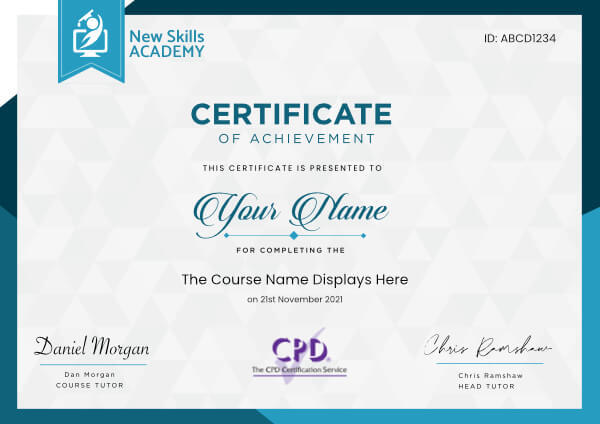
Anyone who has an interest in learning more about this subject matter is encouraged to take the course. There are no entry requirements to take the course.
The course is broken down into 1 individual modules. Each module takes between 20 and 90 minutes on average to study. Although you are free to spend as much or as little time as you feel necessary on each module, simply log in and out of the course at your convenience.
You can study the course any time you like. Simply log in and out of the web based course as often as you require. The course is compatible with all computers, tablet devices and smart phones so you can even study while on the move!
Once you have completed all 1 modules there is a multiple choice test. The questions will be on a range of topics found within the 1 modules. The test, like the course, is online and can be taken a time and location of your choosing.
The pass mark for the test is 70%.
If you don’t pass the test first time you will get further opportunities to take the test again after extra study. There are no limits to the number of times you can take the test. All test retakes are included within the price of the course.
You can either use your Visa, MasterCard, American Express, Solo cards or PayPal account to pay for the online course. Our site uses the latest SSL encryption to ensure your safety. All payments are handled securely by PayPal.
You can begin the course immediately after your payment has been received. You will create your login details during the checkout process. We will also send you an email confirming your login details.
We estimate that the course will take about 0.5 hours to complete in total, plus an additional 30 minutes for the end of course test.
Once you have been awarded your certificate it is valid for life. The certificate does not expire or need renewing.
The diploma in Waxing course is fantastic, I am really enjoying it. The information provided is in depth and covers everything you require to learn and be knowledgeable enough to work on clients. It is an easy to follow set up and being able to access the course content on either my home computer or my mobile device gives me the ease to always check back if ever unsure of something. I would 100% recommend this course to beginners, or like myself, anyone wanting to just refresh their knowledge. Expanding my knowledge has been made easy! So pleased I found New Skills Academy.

Nikita Barrett
I really enjoyed completing this course, it was very informative and has boasted my confidence so much that i feel excited about moving forward with my new career.
I have learned so much by completing the course and I cannot wait to put it all into practice.
I completed the course after studying at my own pace, there was no time scale to finish it which I was happy about and the support team were very quick to respond to any queries that I had at any time through out the learning process. I love that i have my certificate and I feel very proud of myself

Elizabeth Byrne
Was really nice to be able to sit through an online course and fly through it.
This is because my learning styles are predominantly read/write and/or kinaesthetic so being in a classroom listening to teachers is often mind numbing and other students tend to hold me back. This course was great for allowing me to work through at my own pace.
It was also great value for money and although I didn't need to request for student support, all confirmation emails came through quickly and efficiently so I am overall pleased with the service.
Good job New Skills Academy, looking forward to learning with you more in the future.

Christian Roach
Great Course! Arrived very quickly on the same day I ordered it - Amazing Service! I can’t wait to get the certificate at the end so I can show my customers that I have under pinned my knowledge and experience by gaining a qualification that is fully accredited. It is so important to keep fully up to date with skill and learning since everything is constantly changing i.e. the law, people’s requirements and to refresh ones’ knowledge is paramount in today’s challenging job market. We need to be one step in front and a head of our competitors if we are to succeed. Thanks You for helping me achieve this.

Yvonne Watkins
An amazing opportunity to improve my skills and easy to access. I really enjoyed the course! I think it s an excellent way to learn and improve yourself.
Thanks to this amazing course my self-esteem is growing up and I feel capable to start a new job and a new life. Constantly I am studying and I hope to be successful in the future.
Grazia Marino
Helpful tips learned during the course and many fun facts. I will be completing 3 more courses after this one. Such a great learning experience. The knowledge in each package is phemonimal!
Each course is broken down into modules to make it easy to break down the course for short breaks and as soon as you sign back in again it remembers where you left off in your course. How clever!
I would highly recommend this course to anyone looking to brush up their knowledge and skills. Best of luck!

Vawn Koch
Microsoft Mail Merge Certificate Course
Mail merge is one of Microsoft’s most powerful Office features, especially for those who work in offices or who deal with mailings in their day-to-day lives. Without it, you need to type multiple names and mailing addresses, risking typos or other errors. These types of errors may mean that your intended recipient never gets the document or communication. In a worst-case scenario, it may even mean that a vital message goes to the wrong client, leading to confidentiality issues. Learning how to use mail merge properly can save you a lot of time, while also protecting you against unintentional privacy breaches.
This course goes into detail about how to use the most common and practical features of this invaluable tool, which is built into all versions of Microsoft Office. We begin by introducing you to the general things you need to know when preparing a mailing list, including how to use Excel and Outlook contacts for your mail merge list. Next, we move on to giving you a step-by-step guide on how to use mail merge for labels and envelopes, as well as applying it to more advanced tasks such as mass emails or letters.
You Will Learn:
- How to use Excel to prepare your mailing list
- How to use the mail merge feature for personalised emails containing the same basic content
- What you need to keep in mind when using mail merge with Outlook
- How to create a mass letter with customised information for different clients
- How to take mail merge one step further
Benefits of Taking this Course
- Learning how to use mail merge to avoid duplicating your work or making mistakes
- Understanding how to use mail merge for a variety of useful functions, including labels, envelopes, letters and emails
- Why mail merge is an essential tool that anyone who works in an office should learn
- Tips on the best way to start compiling a mailing list and which program is the easiest one to use when carrying out this task
- Learning how to benefit from an underused tool in a step-by-step way, making it easy to incorporate into your next mailing
This course includes
24/7 Student Support
End of course certification
Lifetime access to your course
ID: YDFT67YHJ
of achievement
This certificate is presented to
Your Name
For completing the
Microsoft Mail Merge Certificate
on 21st November 2026
Selena Hurford
Selena Hurford
Course Tutor
Daniel Morgan
Daniel Morgan
Head of Academy
Anyone who has an interest in learning more about this subject matter is encouraged to take the course. There are no entry requirements to take the course.
The course is broken down into 1 individual modules. Each module takes between 20 and 90 minutes on average to study. Although you are free to spend as much or as little time as you feel necessary on each module, simply log in and out of the course at your convenience.
You can study the course any time you like. Simply log in and out of the web based course as often as you require. The course is compatible with all computers, tablet devices and smart phones so you can even study while on the move!
Once you have completed all 1 modules there is a multiple choice test. The questions will be on a range of topics found within the 1 modules. The test, like the course, is online and can be taken a time and location of your choosing.
The pass mark for the test is 70%.
If you don’t pass the test first time you will get further opportunities to take the test again after extra study. There are no limits to the number of times you can take the test. All test retakes are included within the price of the course.
You can either use your Visa, MasterCard, American Express, Solo cards or PayPal account to pay for the online course. Our site uses the latest SSL encryption to ensure your safety. All payments are handled securely by PayPal.
You can begin the course immediately after your payment has been received. You will create your login details during the checkout process. We will also send you an email confirming your login details.
We estimate that the course will take about 0.5 hours to complete in total, plus an additional 30 minutes for the end of course test.
Once you have been awarded your certificate it is valid for life. The certificate does not expire or need renewing.
The diploma in Waxing course is fantastic, I am really enjoying it. The information provided is in depth and covers everything you require to learn and be knowledgeable enough to work on clients. It is an easy to follow set up and being able to access the course content on either my home computer or my mobile device gives me the ease to always check back if ever unsure of something. I would 100% recommend this course to beginners, or like myself, anyone wanting to just refresh their knowledge. Expanding my knowledge has been made easy! So pleased I found New Skills Academy.
Nikita Barrett
I really enjoyed completing this course, it was very informative and has boasted my confidence so much that i feel excited about moving forward with my new career.
I have learned so much by completing the course and I cannot wait to put it all into practice.
I completed the course after studying at my own pace, there was no time scale to finish it which I was happy about and the support team were very quick to respond to any queries that I had at any time through out the learning process. I love that i have my certificate and I feel very proud of myself
Elizabeth Byrne
Was really nice to be able to sit through an online course and fly through it.
This is because my learning styles are predominantly read/write and/or kinaesthetic so being in a classroom listening to teachers is often mind numbing and other students tend to hold me back. This course was great for allowing me to work through at my own pace.
It was also great value for money and although I didn't need to request for student support, all confirmation emails came through quickly and efficiently so I am overall pleased with the service.
Good job New Skills Academy, looking forward to learning with you more in the future.
Christian Roach
Great Course! Arrived very quickly on the same day I ordered it - Amazing Service! I can’t wait to get the certificate at the end so I can show my customers that I have under pinned my knowledge and experience by gaining a qualification that is fully accredited. It is so important to keep fully up to date with skill and learning since everything is constantly changing i.e. the law, people’s requirements and to refresh ones’ knowledge is paramount in today’s challenging job market. We need to be one step in front and a head of our competitors if we are to succeed. Thanks You for helping me achieve this.
Yvonne Watkins
An amazing opportunity to improve my skills and easy to access. I really enjoyed the course! I think it s an excellent way to learn and improve yourself.
Thanks to this amazing course my self-esteem is growing up and I feel capable to start a new job and a new life. Constantly I am studying and I hope to be successful in the future.
Grazia Marino
Helpful tips learned during the course and many fun facts. I will be completing 3 more courses after this one. Such a great learning experience. The knowledge in each package is phemonimal!
Each course is broken down into modules to make it easy to break down the course for short breaks and as soon as you sign back in again it remembers where you left off in your course. How clever!
I would highly recommend this course to anyone looking to brush up their knowledge and skills. Best of luck!
Vawn Koch
Why you should study with us
Learn with confidence...

 RRP
$100
RRP
$100
Get a FREE Course
Tick this box to Sign up for our newsletter, and get access to the Interview Skills and CV Writing Certificate course for free! By signing up, you agree to our Privacy Notice & Cookie Policy and to receive marketing and related emails from academy+ brands. You can unsubscribe at any time.What our students say about us...

This course is a great way to brush up on my rusty excel skills, I recommend this course to anyone looking for something to do during lockdown, it's easy to use and talks you through each stage step by step. It has given me the confidence I need to further my career.
Georgia Darke

Omg im so excited, over joyed and all the good stuff that comes to mind! Wonderful experience doing lessons with New Skills Academy. I look foward to doing more courses with them. I hope this will encourage others to come on board and refresh your minds or to learn something new, it's a win win situation. I want to thank New Skills Academy so much for making this as simple as possible for me.
Shari Anderson
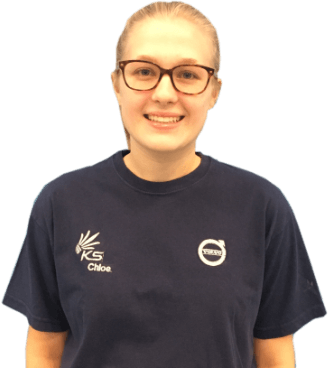
Lovely course for people who want to know the basics and of sign language. It's has helped me to get more of an understanding and will greatly benefit me in my workplace. So easy to pick up and the videos were easy to understand. Would definitely recommend to anyone.
Chloe Hambly

I took up this course initially to help me with my own dog, but found that as I worked through the material I actually started thinking that this could be something that I could use to make a second income. From start to finish I found the course engaging and interesting. I am now doing another dog related course and am experiencing the same level of enjoyment. I would recommend New Skills Academy without hesitation.
Keith Smith

Wow what an incredible insight for the start of anyone's journey in property. This course gives you so much information and there are tests and questions on each of the modules. The course is very easy to follow and well laid out. You can actually make notes on the pages of each module using the notes tab! I am very excited to say that I passed and I only spent one week on this course. I will print all the PDF information and keep it in a file with my certificate. I feel very confident for my future plans now I have completed this course.
Nichola Anderson
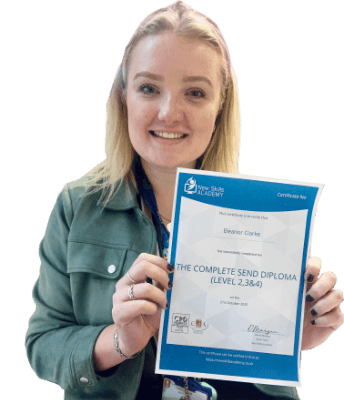
It was an eye opening course that was flexible and easy to access. I was able to complete it from the comfort of my own home whilst also having the tasks to complete which enabled me to check my knowledge. I know feel much more confident in my field of work and really enjoyed doing it.
Ellie Clarke
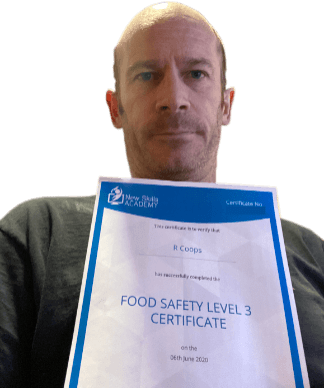
Yet another well laid out course. This is my 3rd course so far with New Skills Academy.
More than likely will be back for another one soon. This course was enjoyable to do, and I learnt a lot and passed first try. My certificate will be up on the wall soon.
Rob Coops

I found this course incredibly useful, as it provided me with practical knowledge which I can implement in my role as a Support Worker. The videos were clear and concise, and the downloadable worksheets reinforced what I had learned as I was able to put pen to paper. Overall, a fantastic course for a great price! I am looking forward to taking on my next one.
Teleisha Harley