MS Excel Certification Bundle


Why you should study with us
Includes the following courses:
Excel Macros Certification Microsoft Excel Advanced Certification Microsoft Excel for Beginners Certification Microsoft Excel Intermediate CertificationMS Excel Certification Bundle
Please Note: This course uses the Windows version of Microsoft Office 2016 for content and all related tests. Any other versions will have some differences in the functions.
One of the most widely used programs in the world for visualizing and analyzing data is Microsoft Excel. This software is used in almost every industry, not to mention for personal use in households around the world. Small business owners rely on Excel to track hours, finances, and invoices, and large corporations rely on Excel for data analysis, to visualize data, and innumerable other tasks.
Whether you are brand new to the world of Excel, or you have training and knowledge of the software and are looking to improve your skills, this series of courses can help.
The following is an overview of each of the Excel courses in this bundle:
MS Excel Beginners Course
The MS Excel beginners course will give you a full overview of all of the most common features of Excel and how to use them.
Some of the highlights of this course include:
- A basic overview of Excel
- Calculating sums, averages, and totals
- Counting cells
- Learning formulas, such as IF, COUNTIF, SUMIF, VLOOKUP, HLOOKUP, and AVERAGEIF
- Pivot tables
- Inserting, editing, and deleting comments
- Creating borders
- Wrapping text
- Merging cells
- Pasting, sorting, and converting columns to rows
- Creating graphs and charts
- Using the dictionary
MS Excel Intermediate Course
The MS Excel Intermediate Course will take what you learned in the beginner course and expand upon it. Additionally, this course will teach you more advanced concepts than those that were presented in the beginner course.
Some of the highlights of the intermediate Excel course include the following:
- Learning more about intermediate Excel functions including ABS, SUMIF, HLOOKUP, VLOOKUP, COUNTIF, AVERAGEIF, AVERAGEIFS, and AVERAGEA
- Data validation with date, list, time, and numbers
- Functions such as RANK, MIN, MAX, CHAR, MODE, MEDIAN, CODE, CLEAN, and EXACT
- How to remove duplicates in Excel
- Creating random numbers
- Changing text case
- Adding custom backgrounds
- Zooming in and out of Excel
- How to auto fill data
- Adding special characters
- Changing border color and theme
MS Excel Advanced Course
The MS Excel Advanced Course is the longest and the most intense of the three Excel courses presented here. However, if you have successfully passed the beginner and the intermediate courses, you should consider yourself fully prepared to begin the advanced course. Formulas, or functions, are what advanced users of Excel want from this tool.
Though any person with a small amount of Excel knowledge can use formulas, such as SUM, a user who has advanced Excel skills will use other formulas, both alone and combined, such as MATCH, INDEX, SUMIFS, and LOOKUP.
Some of the concepts that you will learn in the MS Excel Advanced Course include the following:
- Adding passwords
- VLOOKUP Advanced formula options and manipulations
- Other advanced functions including OR, AND, CHOOSE, INDIRECT, REPLACE, LEAN, LEFT, FIND, and ROUNDUP.
- Functions including CEILING, CORREL, FORECAST, FREQUENCY, SUBTOTAL, and SUMIFS
- Coloring a column and row with a formula
- Highlighting a cell with a formula
- Functions including ISODD, ISNUMBER, ISTEXT, ISLOGICAL, ISNONTEXT, ISERROR, ISERR, ISBLANK
- Functions including DGET, DMAX, DPRODUCT, DCOUNTA, DCOUNT, DSUM, DAVERAGE
- How to calculate depreciation in Excel, including SLN depreciation and SYD depreciation
- Calculating loam EMI
- Functions including DATEDIF, DATEVALUE, EDATE, EOMONTH, MATCH, INDEX
- Full explanation of the INDEX and MATCH functions, covering several modules
- Looking up data
- Selecting only cells containing comments
- Hiding formulas
- Automatically inserting serial numbers
Excel Macros Certification
Learning about Excel macros is essential to anyone who uses Excel at home or work. Whether you're looking to increase your general Excel knowledge or improve your skills in the workplace, this course covers everything you need. You will learn:
- A comprehensive definition of Excel macros and how they work
- How to reference and record macros
- How to run, name and save macros
- Professional tips and expert advice
- Macro categories and practical coding
This course includes
24/7 Student Support
End of course certification
Lifetime access to your course
This is a bundle course, and contains the following courses:
Excel Macros Certification
Learning about Excel macros is essential to anyone who uses Excel at home or work. Whether you're looking to increase your general Excel knowledge or improve your skills in the workplace, this course covers everything you need.
This course provides a comprehensive guide to Excel macros, including the references to use, and how to record and save macros. From professional tips and advice to in-depth macro categories and actual formulas you can immediately apply, this course covers everything you need to know about every element of Excel macros.
You Will Learn:
- A comprehensive definition of Excel macros and how they work
- How to reference and record macros
- How to run, name and save macros
- Professional tips and expert advice
- Macro categories and practical coding
Benefits of Taking This Course:
- You will save time and increase productivity
- You will be able to interpret data faster and more effectively
- You will learn basic VBA coding and how to make it work for you
- You will be able to automate and optimise essential data
- You will understand the security risks associated with macros
Microsoft Excel Advanced Certification
Please Note: This course uses the Microsoft 365 version of Excel. Any other versions will have some differences in the functions.
The MS Excel Advanced Certification Course is the longest and the most intense of the three Excel courses presented here. However, if you have successfully passed the beginner and the intermediate courses, you should consider yourself fully prepared to begin the advanced course.
Formulas, or functions, are what advanced users of Excel want from this tool. When one uses formulas, not only can they see the data they require for their work, they can also analyze it and get answers to very complex questions. Though any person with a small amount of Excel knowledge can use formulas, such as SUM, a user who has advanced Excel skills will use other formulas, both alone and combined, such as MATCH, INDEX, SUMIFS, and LOOKUP.
In addition to knowing these formulas, those who are advanced users of Excel know how to debug these formulas, how to audit them, and how to choose the perfect formula for the occasion.
What you will learn
Some of the concepts that you will learn in the MS Excel Advanced Course include the following:
- How to set a Password to an Excel document
- VLOOKUP Advanced formula options and manipulations
- Other advanced functions including OR, AND, CHOOSE, INDIRECT, REPLACE, LEAN, LEFT, FIND, and ROUNDUP.
- Functions including CEILING, CORREL, FORECAST, FREQUENCY, SUBTOTAL, and SUMIFS
- Coloring a column and row with a formula
- Highlighting a cell with a formula
- Functions including ISODD, ISNUMBER, ISTEXT, ISLOGICAL, ISNONTEXT, ISERROR, ISERR, ISBLANK
- Functions including DGET, DMAX, DPRODUCT, DCOUNTA, DCOUNT, DSUM, DAVERAGE
- How to calculate depreciation in Excel, including SLN depreciation and SYD depreciation
- Calculating loam EMI
- Functions including DATEDIF, DATEVALUE, EDATE, EOMONTH, MATCH, INDEX
- Full explanation of the INDEX and MATCH functions, covering several chapters
- Looking up data
- Selecting only cells containing comments
- Hiding formulas
- Automatically inserting serial numbers
As you can see, the information you will get from the MS Excel Advanced Course will fully prepare you for virtually any career path, including those that require advanced skills with this software. Once you complete the advanced course, you will have access to the full functionality of Excel, and will know how to use all formulas, functions, and capabilities. Though this course is the longest and most involved of the three, once you complete it, you will have the knowledge and skills that most can only dream of.
This course opens with how to add a password, and also focuses on the VLOOKUP formula, offering several chapters on how to use this function. The course discusses the OR and AND commands, and also focuses on other functions, such as REPLACE, MID, LEFT, and FIND. You will also learn about calculating depreciation, calculating interest, and even calculating EMI for loans, all by using Excel functions. Additionally, the course features information on INDEX and MATCH functions, which is extremely important in certain industries and positions.
The course also shows students how to use the CHOOSE formula, and how to create special charts. Finally, the course will show how to automatically enter serial numbers and perform extremely advanced functions.
The advanced Excel course is designed for power users. The general population would not use the information contained within this course, but there are some features taught in the advanced course that can make your Excel usage easier. However, it is recommended that those who take this Excel course continue with the advanced course for a number of reasons.
First, getting more knowledge about Excel can help you to master the beginner and intermediate concepts. Additionally, no one has ever lost anything by having more knowledge. You might find that knowing this information will help you in the future, too, as you never know when the organization you work for might require the services of an Excel expert. These people are paid quite well, and are an invaluable addition to most companies.
Too many people believe that advanced Excel concepts are only useful for those who are interested in programming or concepts such as financial modeling. This, however, is not totally true. The actual truth is that the information contained within this course could be the key to your next promotion or your next job.
Microsoft Excel for Beginners Certification
Please Note: This course uses the Microsoft 365 version of Excel. Any other versions will have some differences in the functions.
One of the most widely used programs for visualizing and analyzing data is Microsoft Excel. This software is used in almost every industry, not to mention for personal use in households around the world. Small business owners rely on Excel to track hours, finances, and invoices, and large corporations rely on Excel for data analysis, to visualize data, and innumerable other tasks.
Whether you are brand new to the world of Excel, or you have training and knowledge of the software and are looking to improve your skills, this series of courses can help. By the time you finish the beginner, intermediate and advanced courses, you too will be an expert in Excel. These training videos help you learn at your own pace, as there is no time limit or deadline to complete the courses.
You can also access these courses from any mobile device, including tablets, computers, and mobiles, as long as you have access to the internet. Since the lessons in this course are only a few minutes each, it makes it very convenient for one to stop and start when necessary. This helps to study when you have time, even if you have less than 20 minutes.
Introduction to the Microsoft Excel for Beginners Course
This beginners course is recommended for anyone who might use Excel at home or at work for uncomplicated reasons, such as tracking simple expenditures or for calculating sums or totals. This course is ideal for anyone who has never used Excel or for those who have only a rudimentary understanding of the software. It is also perfect for anyone who is familiar with the older versions of the software, but not the latest version.
If you are re-entering the workforce, you will also find that this course will suit you well, and will certainly get you caught up with your peers. The course begins with explaining concepts, such as 'What is a cell?' and how to tell the difference between a column and a row. The course continues by explaining basic Excel concepts such as how to create, copy, delete, and cut information from Excel cells. You will also learn how to edit information that is put into a cell and how to insert and edit comments when using Excel.
The second half of the beginners Excel overview, which is only a small part of the beginners course, will cover sheets, which is an entirely different concept than cells. In this section, you will learn how to rename a sheet, delete a sheet, hide and unhide a sheet, and move and copy a sheet. You will also learn how to change the color of tabs.
After mastering the beginners overview, the rest of the beginners course will go further into these concepts, and then teach details on how to perform basic functions. Each video in the course gives a full explanation of the concept and the instructor visually takes students through each concept step by step on the screen.
When you finish this course, you will have a basic understanding of how to use many of the functions of Excel, and can use the program with ease. You will then be fully prepared to move ahead to the intermediate course.
What you will learn
The MS Excel beginners course will give you a full overview of all of the most common features of Excel and how to use them. Some of the highlights of this course include:
- A basic overview of Excel
- Calculating sums, averages, and totals
- Counting cells
- Learning formulas, such as IF, COUNTIF, SUMIF, VLOOKUP, HLOOKUP, and AVERAGEIF
- Pivot tables
- Inserting, editing, and deleting comments
- Creating borders
- Wrapping text
- Merging cells
- Pasting, sorting, and converting columns to rows
- Creating graphs and charts
- Using the dictionary
MS Excel Intermediate Certification Course
Please Note: This course uses the Microsoft 365 version of Excel. Any other versions will have some differences in the functions.
The MS Excel Intermediate Certification Course will take what you learned in the beginner course and expand upon it. Additionally, this course will teach you more advanced concepts than those that were presented in the beginner course.
What you will learn
Some of the highlights of the intermediate Excel course include the following:
- Learning more about intermediate Excel functions including ABS, AVERAGEIF, AVERAGEIFS, and AVERAGEA
- Data validation with date, list, time, and numbers
- Functions such as RANK, MIN, MAX, CHAR, MODE, MEDIAN, CODE, CLEAN, and EXACT
- How to remove duplicates in Excel
- Creating random numbers
- Changing text case
- How to use Templates
- Insert Charts
- Adding custom backgrounds
- How to use Tables
- How to auto fill data
- Adding special characters
- Changing border color and theme
Before jumping into the MS Excel Intermediate course, one should have a good basic overview of the beginner Excel functions. Those with experience in Excel might feel as if they can skip the beginner course, but it is best to at least go through the course and review it before starting the intermediate curriculum.
Like the beginner course, the intermediate course is set up into short modules, and you can watch the module videos on any device that can connect to the internet. The curriculum in the intermediate course is designed for those who work with Excel in the workplace, and it is primarily for those who want to improve their skills with this program.
There is a lot of useful information found in this course, and these skills are necessary for anyone who is going into investments, banking, or consulting, and will also be useful for administrators or for those who track or analyze a lot of data. If you are someone who is new to the workforce, you too will find that employers are looking for candidates with at least intermediate Excel skills.
The course teaches students how to use functions, including AVERAGEA, AVERAGEIF, AVERAGEIFS and ABS. You will also learn data validation information and students work through several modules, each of which are focused on a type of data validation, such as date, list, and time.
The course deals with more information on specific functions, which include CHAR, CODE, MEDIAN, MODE, and ROUND. Additional information is given on how to manipulate these functions to meet your needs as an Excel user.
Other information in the MS Excel Intermediate Course includes how to change the text in Excel, i.e. changing text to all upper case or lower case. You will also learn how to change the background and add a custom image, how to use AutoFill and how to insert special characters.
Upon completion of this course, you will know about most of the functions that Excel has, and how to use this software at an intermediate level. Additionally, you will have the skills necessary to use Excel in most business environments. You will also be fully prepared to begin the MS Excel Advanced Course.
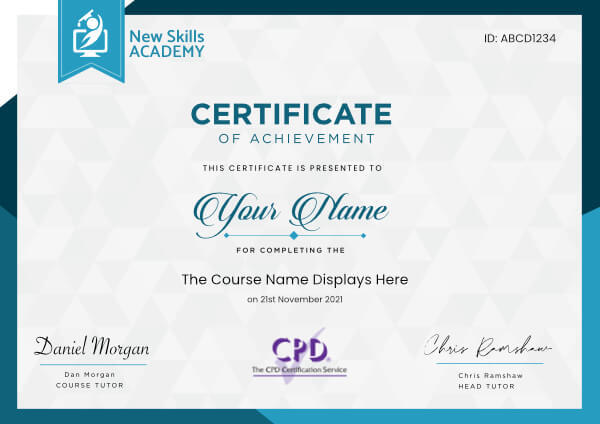
 ID: YDFT67YHJ
of achievement
This certificate is presented to
Your Name

For completing the
MS Excel Certification Bundle
on 21st November 2026
Selena Hurford
Selena Hurford
Course Tutor

Daniel Morgan
Daniel Morgan
Head of Academy
Anyone who has an interest in learning more about this subject matter is encouraged to take the course. There are no entry requirements to take the course.
The course is broken down into 0 individual modules. Each module takes between 20 and 90 minutes on average to study. Although you are free to spend as much or as little time as you feel necessary on each module, simply log in and out of the course at your convenience.
You can study the course any time you like. Simply log in and out of the web based course as often as you require. The course is compatible with all computers, tablet devices and smart phones so you can even study while on the move!
Once you have completed all 0 modules there is a multiple choice test. The questions will be on a range of topics found within the 0 modules. The test, like the course, is online and can be taken a time and location of your choosing.
The pass mark for the test is 70%.
If you don’t pass the test first time you will get further opportunities to take the test again after extra study. There are no limits to the number of times you can take the test. All test retakes are included within the price of the course.
You can either use your Visa, MasterCard, American Express, Solo cards or PayPal account to pay for the online course. Our site uses the latest SSL encryption to ensure your safety. All payments are handled securely by PayPal.
You can begin the course immediately after your payment has been received. You will create your login details during the checkout process. We will also send you an email confirming your login details.
We estimate that the course will take about 35 hours to complete in total, plus an additional 30 minutes for the end of course test.
Once you have been awarded your certificate it is valid for life. The certificate does not expire or need renewing.
I really enjoyed this course because I was able to study at anytime and anywhere from my phone, when my little daughter was sleeping. I like working with people and this course offered me more knowledge about the best way to treat a customer.
This diploma will help me get a better job in the future. After each module there is a short test and at the end of the course there is another overall longer test so it’s best to read and understand each module properly.
I definitely recommend this course to everyone who wants to improve their customer service skills.

Lavinia Poara
The International Massage course is exceptional in value. The course is comprehensively laid out, each component labelled with an initial written notes, followed by details excellent videos which actually show exactly how to massage.
The course covers all types of massage such as Lomi lomi massage to hot stone massage.
I have benefited enormously from registering on this course. I would have absolutely no hesitation in recommending this course to anyone as I am aware of how much they would benefit.
I gave my friend a massage just for fun & she was amazed & told me she thinks I am the best masseuse ever. She should know as she has regular massages from professional. So what are you waiting for? Go ahead sign up for the course.
By the way no one is paying me to say this, I am saying what I believe to be true.

Abba Howson
Fantastic online course. Very informative, easy to follow sessions with a test facility at the end of each session. You can complete this at your own pace any time of day or night, without any pressure and there is even help if you need it with tutors online.
I would highly recommend New Skills Academy to anyone looking to gain a qualification but needs time to complete the course or cannot attend classes. I look forward to completing many more courses with you shortly. A great way of learning new skills, as the name of the company suggests with a recognised qualification.
Thank you New Skills.

Julie Roach
I had been interested in learning about face painting as I am a makeup artist myself. I decided to do this course as a cheaper alternative to going to a school to learn.
This course takes you through all the tips and techniques of face painting from starting your own business to essentials for your kit and popular face painting designs which are easy to follow. The instructor is very clear and breaks down the face painting into several steps.
Since completing this course I have been face painting for children’s parties and other events earning good money for my services. Thank you for this course it has been fantastic!

Anahita Roshna
I have always wanted to do hairdressing but never had the confidence. Since taking this course it has given me the chance I wanted and boosted my confidence.
There is lots of information and videos and you can always re-cap if needed.

Chris Peel
This course is brilliant! Extremely easy to follow and understand. You are able to do it in your own time so there's no pressure.
I've now just completed it and enjoyed the whole experience. I can't wait to get my little business up and running. Thank you all

Louisa Forsyth
MS Excel Certification Bundle
Please Note: This course uses the Windows version of Microsoft Office 2016 for content and all related tests. Any other versions will have some differences in the functions.
One of the most widely used programs in the world for visualizing and analyzing data is Microsoft Excel. This software is used in almost every industry, not to mention for personal use in households around the world. Small business owners rely on Excel to track hours, finances, and invoices, and large corporations rely on Excel for data analysis, to visualize data, and innumerable other tasks.
Whether you are brand new to the world of Excel, or you have training and knowledge of the software and are looking to improve your skills, this series of courses can help.
The following is an overview of each of the Excel courses in this bundle:
MS Excel Beginners Course
The MS Excel beginners course will give you a full overview of all of the most common features of Excel and how to use them.
Some of the highlights of this course include:
- A basic overview of Excel
- Calculating sums, averages, and totals
- Counting cells
- Learning formulas, such as IF, COUNTIF, SUMIF, VLOOKUP, HLOOKUP, and AVERAGEIF
- Pivot tables
- Inserting, editing, and deleting comments
- Creating borders
- Wrapping text
- Merging cells
- Pasting, sorting, and converting columns to rows
- Creating graphs and charts
- Using the dictionary
MS Excel Intermediate Course
The MS Excel Intermediate Course will take what you learned in the beginner course and expand upon it. Additionally, this course will teach you more advanced concepts than those that were presented in the beginner course.
Some of the highlights of the intermediate Excel course include the following:
- Learning more about intermediate Excel functions including ABS, SUMIF, HLOOKUP, VLOOKUP, COUNTIF, AVERAGEIF, AVERAGEIFS, and AVERAGEA
- Data validation with date, list, time, and numbers
- Functions such as RANK, MIN, MAX, CHAR, MODE, MEDIAN, CODE, CLEAN, and EXACT
- How to remove duplicates in Excel
- Creating random numbers
- Changing text case
- Adding custom backgrounds
- Zooming in and out of Excel
- How to auto fill data
- Adding special characters
- Changing border color and theme
MS Excel Advanced Course
The MS Excel Advanced Course is the longest and the most intense of the three Excel courses presented here. However, if you have successfully passed the beginner and the intermediate courses, you should consider yourself fully prepared to begin the advanced course. Formulas, or functions, are what advanced users of Excel want from this tool.
Though any person with a small amount of Excel knowledge can use formulas, such as SUM, a user who has advanced Excel skills will use other formulas, both alone and combined, such as MATCH, INDEX, SUMIFS, and LOOKUP.
Some of the concepts that you will learn in the MS Excel Advanced Course include the following:
- Adding passwords
- VLOOKUP Advanced formula options and manipulations
- Other advanced functions including OR, AND, CHOOSE, INDIRECT, REPLACE, LEAN, LEFT, FIND, and ROUNDUP.
- Functions including CEILING, CORREL, FORECAST, FREQUENCY, SUBTOTAL, and SUMIFS
- Coloring a column and row with a formula
- Highlighting a cell with a formula
- Functions including ISODD, ISNUMBER, ISTEXT, ISLOGICAL, ISNONTEXT, ISERROR, ISERR, ISBLANK
- Functions including DGET, DMAX, DPRODUCT, DCOUNTA, DCOUNT, DSUM, DAVERAGE
- How to calculate depreciation in Excel, including SLN depreciation and SYD depreciation
- Calculating loam EMI
- Functions including DATEDIF, DATEVALUE, EDATE, EOMONTH, MATCH, INDEX
- Full explanation of the INDEX and MATCH functions, covering several modules
- Looking up data
- Selecting only cells containing comments
- Hiding formulas
- Automatically inserting serial numbers
Excel Macros Certification
Learning about Excel macros is essential to anyone who uses Excel at home or work. Whether you're looking to increase your general Excel knowledge or improve your skills in the workplace, this course covers everything you need. You will learn:
- A comprehensive definition of Excel macros and how they work
- How to reference and record macros
- How to run, name and save macros
- Professional tips and expert advice
- Macro categories and practical coding
This course includes
24/7 Student Support
End of course certification
Lifetime access to your course
This is a bundle course, and contains the following courses:
Excel Macros Certification
Learning about Excel macros is essential to anyone who uses Excel at home or work. Whether you're looking to increase your general Excel knowledge or improve your skills in the workplace, this course covers everything you need.
This course provides a comprehensive guide to Excel macros, including the references to use, and how to record and save macros. From professional tips and advice to in-depth macro categories and actual formulas you can immediately apply, this course covers everything you need to know about every element of Excel macros.
You Will Learn:
- A comprehensive definition of Excel macros and how they work
- How to reference and record macros
- How to run, name and save macros
- Professional tips and expert advice
- Macro categories and practical coding
Benefits of Taking This Course:
- You will save time and increase productivity
- You will be able to interpret data faster and more effectively
- You will learn basic VBA coding and how to make it work for you
- You will be able to automate and optimise essential data
- You will understand the security risks associated with macros
Microsoft Excel Advanced Certification
Please Note: This course uses the Microsoft 365 version of Excel. Any other versions will have some differences in the functions.
The MS Excel Advanced Certification Course is the longest and the most intense of the three Excel courses presented here. However, if you have successfully passed the beginner and the intermediate courses, you should consider yourself fully prepared to begin the advanced course.
Formulas, or functions, are what advanced users of Excel want from this tool. When one uses formulas, not only can they see the data they require for their work, they can also analyze it and get answers to very complex questions. Though any person with a small amount of Excel knowledge can use formulas, such as SUM, a user who has advanced Excel skills will use other formulas, both alone and combined, such as MATCH, INDEX, SUMIFS, and LOOKUP.
In addition to knowing these formulas, those who are advanced users of Excel know how to debug these formulas, how to audit them, and how to choose the perfect formula for the occasion.
What you will learn
Some of the concepts that you will learn in the MS Excel Advanced Course include the following:
- How to set a Password to an Excel document
- VLOOKUP Advanced formula options and manipulations
- Other advanced functions including OR, AND, CHOOSE, INDIRECT, REPLACE, LEAN, LEFT, FIND, and ROUNDUP.
- Functions including CEILING, CORREL, FORECAST, FREQUENCY, SUBTOTAL, and SUMIFS
- Coloring a column and row with a formula
- Highlighting a cell with a formula
- Functions including ISODD, ISNUMBER, ISTEXT, ISLOGICAL, ISNONTEXT, ISERROR, ISERR, ISBLANK
- Functions including DGET, DMAX, DPRODUCT, DCOUNTA, DCOUNT, DSUM, DAVERAGE
- How to calculate depreciation in Excel, including SLN depreciation and SYD depreciation
- Calculating loam EMI
- Functions including DATEDIF, DATEVALUE, EDATE, EOMONTH, MATCH, INDEX
- Full explanation of the INDEX and MATCH functions, covering several chapters
- Looking up data
- Selecting only cells containing comments
- Hiding formulas
- Automatically inserting serial numbers
As you can see, the information you will get from the MS Excel Advanced Course will fully prepare you for virtually any career path, including those that require advanced skills with this software. Once you complete the advanced course, you will have access to the full functionality of Excel, and will know how to use all formulas, functions, and capabilities. Though this course is the longest and most involved of the three, once you complete it, you will have the knowledge and skills that most can only dream of.
This course opens with how to add a password, and also focuses on the VLOOKUP formula, offering several chapters on how to use this function. The course discusses the OR and AND commands, and also focuses on other functions, such as REPLACE, MID, LEFT, and FIND. You will also learn about calculating depreciation, calculating interest, and even calculating EMI for loans, all by using Excel functions. Additionally, the course features information on INDEX and MATCH functions, which is extremely important in certain industries and positions.
The course also shows students how to use the CHOOSE formula, and how to create special charts. Finally, the course will show how to automatically enter serial numbers and perform extremely advanced functions.
The advanced Excel course is designed for power users. The general population would not use the information contained within this course, but there are some features taught in the advanced course that can make your Excel usage easier. However, it is recommended that those who take this Excel course continue with the advanced course for a number of reasons.
First, getting more knowledge about Excel can help you to master the beginner and intermediate concepts. Additionally, no one has ever lost anything by having more knowledge. You might find that knowing this information will help you in the future, too, as you never know when the organization you work for might require the services of an Excel expert. These people are paid quite well, and are an invaluable addition to most companies.
Too many people believe that advanced Excel concepts are only useful for those who are interested in programming or concepts such as financial modeling. This, however, is not totally true. The actual truth is that the information contained within this course could be the key to your next promotion or your next job.
Microsoft Excel for Beginners Certification
Please Note: This course uses the Microsoft 365 version of Excel. Any other versions will have some differences in the functions.
One of the most widely used programs for visualizing and analyzing data is Microsoft Excel. This software is used in almost every industry, not to mention for personal use in households around the world. Small business owners rely on Excel to track hours, finances, and invoices, and large corporations rely on Excel for data analysis, to visualize data, and innumerable other tasks.
Whether you are brand new to the world of Excel, or you have training and knowledge of the software and are looking to improve your skills, this series of courses can help. By the time you finish the beginner, intermediate and advanced courses, you too will be an expert in Excel. These training videos help you learn at your own pace, as there is no time limit or deadline to complete the courses.
You can also access these courses from any mobile device, including tablets, computers, and mobiles, as long as you have access to the internet. Since the lessons in this course are only a few minutes each, it makes it very convenient for one to stop and start when necessary. This helps to study when you have time, even if you have less than 20 minutes.
Introduction to the Microsoft Excel for Beginners Course
This beginners course is recommended for anyone who might use Excel at home or at work for uncomplicated reasons, such as tracking simple expenditures or for calculating sums or totals. This course is ideal for anyone who has never used Excel or for those who have only a rudimentary understanding of the software. It is also perfect for anyone who is familiar with the older versions of the software, but not the latest version.
If you are re-entering the workforce, you will also find that this course will suit you well, and will certainly get you caught up with your peers. The course begins with explaining concepts, such as 'What is a cell?' and how to tell the difference between a column and a row. The course continues by explaining basic Excel concepts such as how to create, copy, delete, and cut information from Excel cells. You will also learn how to edit information that is put into a cell and how to insert and edit comments when using Excel.
The second half of the beginners Excel overview, which is only a small part of the beginners course, will cover sheets, which is an entirely different concept than cells. In this section, you will learn how to rename a sheet, delete a sheet, hide and unhide a sheet, and move and copy a sheet. You will also learn how to change the color of tabs.
After mastering the beginners overview, the rest of the beginners course will go further into these concepts, and then teach details on how to perform basic functions. Each video in the course gives a full explanation of the concept and the instructor visually takes students through each concept step by step on the screen.
When you finish this course, you will have a basic understanding of how to use many of the functions of Excel, and can use the program with ease. You will then be fully prepared to move ahead to the intermediate course.
What you will learn
The MS Excel beginners course will give you a full overview of all of the most common features of Excel and how to use them. Some of the highlights of this course include:
- A basic overview of Excel
- Calculating sums, averages, and totals
- Counting cells
- Learning formulas, such as IF, COUNTIF, SUMIF, VLOOKUP, HLOOKUP, and AVERAGEIF
- Pivot tables
- Inserting, editing, and deleting comments
- Creating borders
- Wrapping text
- Merging cells
- Pasting, sorting, and converting columns to rows
- Creating graphs and charts
- Using the dictionary
MS Excel Intermediate Certification Course
Please Note: This course uses the Microsoft 365 version of Excel. Any other versions will have some differences in the functions.
The MS Excel Intermediate Certification Course will take what you learned in the beginner course and expand upon it. Additionally, this course will teach you more advanced concepts than those that were presented in the beginner course.
What you will learn
Some of the highlights of the intermediate Excel course include the following:
- Learning more about intermediate Excel functions including ABS, AVERAGEIF, AVERAGEIFS, and AVERAGEA
- Data validation with date, list, time, and numbers
- Functions such as RANK, MIN, MAX, CHAR, MODE, MEDIAN, CODE, CLEAN, and EXACT
- How to remove duplicates in Excel
- Creating random numbers
- Changing text case
- How to use Templates
- Insert Charts
- Adding custom backgrounds
- How to use Tables
- How to auto fill data
- Adding special characters
- Changing border color and theme
Before jumping into the MS Excel Intermediate course, one should have a good basic overview of the beginner Excel functions. Those with experience in Excel might feel as if they can skip the beginner course, but it is best to at least go through the course and review it before starting the intermediate curriculum.
Like the beginner course, the intermediate course is set up into short modules, and you can watch the module videos on any device that can connect to the internet. The curriculum in the intermediate course is designed for those who work with Excel in the workplace, and it is primarily for those who want to improve their skills with this program.
There is a lot of useful information found in this course, and these skills are necessary for anyone who is going into investments, banking, or consulting, and will also be useful for administrators or for those who track or analyze a lot of data. If you are someone who is new to the workforce, you too will find that employers are looking for candidates with at least intermediate Excel skills.
The course teaches students how to use functions, including AVERAGEA, AVERAGEIF, AVERAGEIFS and ABS. You will also learn data validation information and students work through several modules, each of which are focused on a type of data validation, such as date, list, and time.
The course deals with more information on specific functions, which include CHAR, CODE, MEDIAN, MODE, and ROUND. Additional information is given on how to manipulate these functions to meet your needs as an Excel user.
Other information in the MS Excel Intermediate Course includes how to change the text in Excel, i.e. changing text to all upper case or lower case. You will also learn how to change the background and add a custom image, how to use AutoFill and how to insert special characters.
Upon completion of this course, you will know about most of the functions that Excel has, and how to use this software at an intermediate level. Additionally, you will have the skills necessary to use Excel in most business environments. You will also be fully prepared to begin the MS Excel Advanced Course.
ID: YDFT67YHJ
of achievement
This certificate is presented to
Your Name
For completing the
MS Excel Certification Bundle
on 21st November 2026
Selena Hurford
Selena Hurford
Course Tutor
Daniel Morgan
Daniel Morgan
Head of Academy
Anyone who has an interest in learning more about this subject matter is encouraged to take the course. There are no entry requirements to take the course.
The course is broken down into 0 individual modules. Each module takes between 20 and 90 minutes on average to study. Although you are free to spend as much or as little time as you feel necessary on each module, simply log in and out of the course at your convenience.
You can study the course any time you like. Simply log in and out of the web based course as often as you require. The course is compatible with all computers, tablet devices and smart phones so you can even study while on the move!
Once you have completed all 0 modules there is a multiple choice test. The questions will be on a range of topics found within the 0 modules. The test, like the course, is online and can be taken a time and location of your choosing.
The pass mark for the test is 70%.
If you don’t pass the test first time you will get further opportunities to take the test again after extra study. There are no limits to the number of times you can take the test. All test retakes are included within the price of the course.
You can either use your Visa, MasterCard, American Express, Solo cards or PayPal account to pay for the online course. Our site uses the latest SSL encryption to ensure your safety. All payments are handled securely by PayPal.
You can begin the course immediately after your payment has been received. You will create your login details during the checkout process. We will also send you an email confirming your login details.
We estimate that the course will take about 35 hours to complete in total, plus an additional 30 minutes for the end of course test.
Once you have been awarded your certificate it is valid for life. The certificate does not expire or need renewing.
I really enjoyed this course because I was able to study at anytime and anywhere from my phone, when my little daughter was sleeping. I like working with people and this course offered me more knowledge about the best way to treat a customer.
This diploma will help me get a better job in the future. After each module there is a short test and at the end of the course there is another overall longer test so it’s best to read and understand each module properly.
I definitely recommend this course to everyone who wants to improve their customer service skills.
Lavinia Poara
The International Massage course is exceptional in value. The course is comprehensively laid out, each component labelled with an initial written notes, followed by details excellent videos which actually show exactly how to massage.
The course covers all types of massage such as Lomi lomi massage to hot stone massage.
I have benefited enormously from registering on this course. I would have absolutely no hesitation in recommending this course to anyone as I am aware of how much they would benefit.
I gave my friend a massage just for fun & she was amazed & told me she thinks I am the best masseuse ever. She should know as she has regular massages from professional. So what are you waiting for? Go ahead sign up for the course.
By the way no one is paying me to say this, I am saying what I believe to be true.
Abba Howson
Fantastic online course. Very informative, easy to follow sessions with a test facility at the end of each session. You can complete this at your own pace any time of day or night, without any pressure and there is even help if you need it with tutors online.
I would highly recommend New Skills Academy to anyone looking to gain a qualification but needs time to complete the course or cannot attend classes. I look forward to completing many more courses with you shortly. A great way of learning new skills, as the name of the company suggests with a recognised qualification.
Thank you New Skills.
Julie Roach
I had been interested in learning about face painting as I am a makeup artist myself. I decided to do this course as a cheaper alternative to going to a school to learn.
This course takes you through all the tips and techniques of face painting from starting your own business to essentials for your kit and popular face painting designs which are easy to follow. The instructor is very clear and breaks down the face painting into several steps.
Since completing this course I have been face painting for children’s parties and other events earning good money for my services. Thank you for this course it has been fantastic!
Anahita Roshna
I have always wanted to do hairdressing but never had the confidence. Since taking this course it has given me the chance I wanted and boosted my confidence.
There is lots of information and videos and you can always re-cap if needed.
Chris Peel
This course is brilliant! Extremely easy to follow and understand. You are able to do it in your own time so there's no pressure.
I've now just completed it and enjoyed the whole experience. I can't wait to get my little business up and running. Thank you all
Louisa Forsyth
Why you should study with us
Learn with confidence...


 RRP
$100
RRP
$100
Get a FREE Course
Tick this box to Sign up for our newsletter, and get access to the Interview Skills and CV Writing Certificate course for free! By signing up, you agree to our Privacy Notice & Cookie Policy and to receive marketing and related emails from academy+ brands. You can unsubscribe at any time.What our students say about us...

I took up this course initially to help me with my own dog, but found that as I worked through the material I actually started thinking that this could be something that I could use to make a second income. From start to finish I found the course engaging and interesting. I am now doing another dog related course and am experiencing the same level of enjoyment. I would recommend New Skills Academy without hesitation.
Keith Smith

Yet another well laid out course. This is my 3rd course so far with New Skills Academy.
More than likely will be back for another one soon. This course was enjoyable to do, and I learnt a lot and passed first try. My certificate will be up on the wall soon.
Rob Coops

Fantastic course! Well-presented and challenging with frequent assessments. I feel a serious sense of accomplishment having not studied for over 30 years! Videos that accompany each module are carefully thought out and informative. Am so impressed with this course, have now signed up for 3 other courses and recommending New Skills Academy to everyone!
Marva Hudson

I am a doctor. This course is well organized, covering all areas of CBT. The videos and practical tips are very helpful. All the modules are arranged with good explanations and examples. Also each module consists of quick test and assignment which enables you to gain knowledge. Finally I would like to thank the New Skills Academy team.
Dr. M. Arshad

Lovely course for people who want to know the basics and of sign language. It's has helped me to get more of an understanding and will greatly benefit me in my workplace. So easy to pick up and the videos were easy to understand. Would definitely recommend to anyone.
Chloe Hambly

Excellent course, well explained and easy to understand. The course can be done at my own pace and is available on various devices. The layout of the course was excellent and the notes options is very good. The content is perfect and well structured, making it easy to understand and follow. I will definitely be taking more courses in the future.
Luis Costa

Very interesting and helpful course. I ve learned a lot of interesting things about make up and the tutorials were very helpful and easy to understand. I really reccomend this course for everyone who is passionate about make up and wish to develop their skills and make a career from their hobby.
Nicoleta Lucaci

The course was clearly set out with helpful end of week tests which built my knowledge. Being dyslexic I found the course was set out in an easy to understand way. I was able to pass the test on my first attempt. The downloaded pdf are a useful resource that you can keep forever. Looking forward to the next course
Ross Dunsten