Digital Art Tools for Photoshop Certification


Why you should study with us
Digital Art Tools for Photoshop Certification
Ever wonder why a picture in a magazine looks flawless or how creative an advertising banner looks? While being a professional designer or photographer may have a lot to do with it, the potential to create amazing images is possible for anyone.
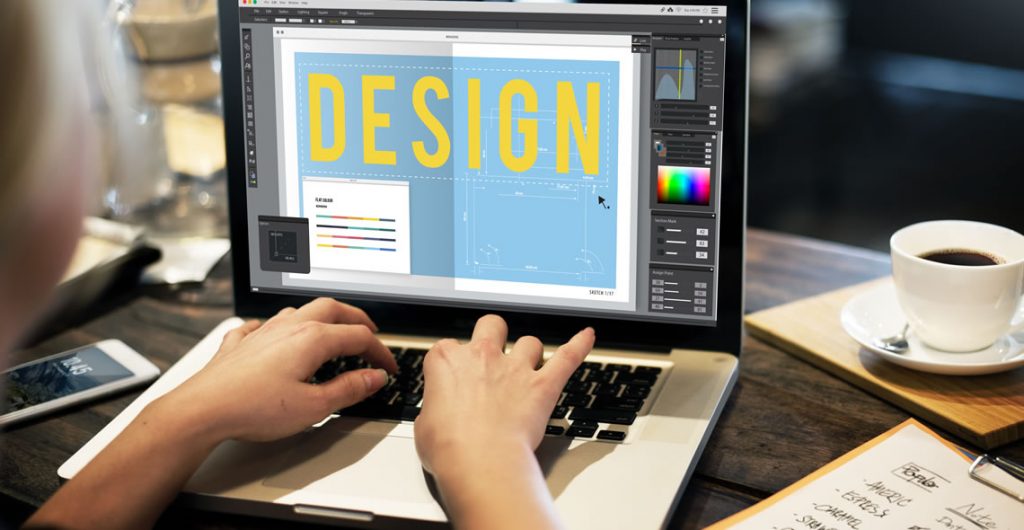
The key is to learn how to use the right post-production software, such as Adobe Photoshop. The ability to create multi-layers with unique effects and designs allows the designer to add depth and dimension.
It is important to understand what Photoshop is used for as it has multiple functions and can be a very useful tool in not just editing photos, but also creating pamphlets, banners, business cards and flyers.
This course will teach you about the benefits of such a program and also provides instructions on how to use it for both professional and personal needs.
Throughout the course, you will see 21 different videos. Each video will take you on a step-by-step journey through the basic features of Photoshop.
While there are several obvious features, such as the 'Layers' dialogue box, there are additional ways to use each tool to maximize the post effects of a photo.
In this course, you will learn:
- How to create a new file and adjust a canvas size that is suitable to project needs
- How to navigate through the software, where to find its tools and understand the layout of the page
- Learn how to identify Photoshop tools and understand their basic functionalities
- Learn how to identify the secondary tools, how to select them and what they are used for
- Learn shortcuts and understand how and when to use them
- How to use the layer option and understand the layer dialogue box
- Learn how to use and apply adjustment layers
- How to add effects and filter to an existing image
Course Benefits:
- You will learn the basic steps of using Photoshop and can begin to create a design
- How to become more efficient by using shortcuts and understanding the use of specific tools
- You will understand how to enhance an image and ways to crop the image to reuse for another project
- The importance of colors and how they can be adjusted and enhanced using the different color options such as color balance
- How to use brightness and contrast, exposure and hue and saturation to manipulate a photo
- How to use rulers to make creative designs such as pamphlets
- Design elements that enhance a creative project
This course includes
24/7 Student Support
End of course certification
Lifetime access to your course
Compatible with modern devices
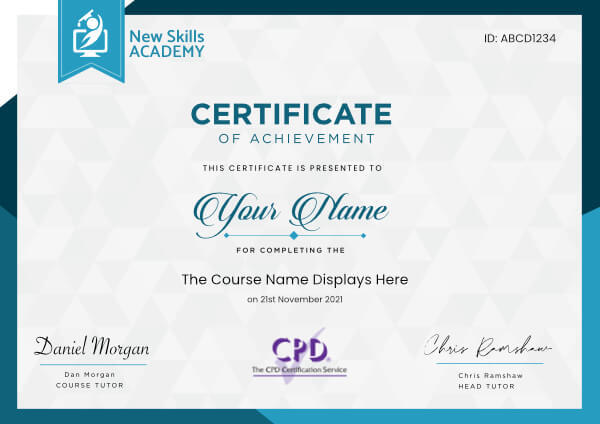
 ID: YDFT67YHJ
of achievement
This certificate is presented to
Your Name

For completing the
Digital Art Tools for Photoshop Certification
on 21st November 2026
Selena Hurford
Selena Hurford
Course Tutor

Daniel Morgan
Daniel Morgan
Head of Academy
Anyone who has an interest in learning more about this subject matter is encouraged to take the course. There are no entry requirements to take the course.
The course is broken down into 21 individual modules. Each module takes between 20 and 90 minutes on average to study. Although you are free to spend as much or as little time as you feel necessary on each module, simply log in and out of the course at your convenience.
You can study the course any time you like. Simply log in and out of the web based course as often as you require. The course is compatible with all computers, tablet devices and smart phones so you can even study while on the move!
Once you have completed all 21 modules there is a multiple choice test. The questions will be on a range of topics found within the 21 modules. The test, like the course, is online and can be taken a time and location of your choosing.
The pass mark for the test is 70%.
If you don’t pass the test first time you will get further opportunities to take the test again after extra study. There are no limits to the number of times you can take the test. All test retakes are included within the price of the course.
You can either use your Visa, MasterCard, American Express, Solo cards or PayPal account to pay for the online course. Our site uses the latest SSL encryption to ensure your safety. All payments are handled securely by PayPal.
You can begin the course immediately after your payment has been received. You will create your login details during the checkout process. We will also send you an email confirming your login details.
We estimate that the course will take about 3 hours to complete in total, plus an additional 30 minutes for the end of course test.
Once you have been awarded your certificate it is valid for life. The certificate does not expire or need renewing.
Clear and informative content, excellently delivered for students of all levels to easily undertake.
This course gave me a great level of understanding to confidently take on even further payroll related education. It filled in the gaps where my knowledge was not so strong, which I have now confidently applied to my day to day job.
A boost on my CV which I feel will make me more attractive to future employers. Overall excellent and highly recommended!
Alex Hooton
Amazing course, very easy to do within your own space of time. Very helpful, would highly recommend to anyone and everyone. This has helped me a lot to gain more knowledge and more experience in this field to help me later on in life. The course is user friendly and very straight forward. Provides you with up to date information and real life situations if anything was to happen and makes you feel like you are already working in the field and have the experience you need. The course also has an online tutor to help you at all times!

Rijul Mehan
After being in recruitment for three years, this was an amazing course to remind me all the things that I may have let slip it also encouraged me to sharpen up my recruitment practices and I feel rejuvenated in my approach to recruitment with both clients and candidates.
Through the help of this course I feel that I can actively, proactively and effectively target both clients and candidates to achieve my target orientated goals.

Shaun Paskin
I really enjoyed taking time to complete this Floristry diploma course online. I have been flower arranging for a few years now and wanted to improve my knowledge and skills. The course was very detailed and the assignments were good, some very creative, I found the history very interesting and how the different periods used flowers for decoration. I am really interested in wedding flower design modules fourteen and fifteen were of particular interest to me. I also found the starting your own business section very helpful. I would definitely recommend for anyone interested in Floristry to take the course.

Siobhan Conway
I love being able to study from home, the site is easy to use and I like being able to just log in and study for as long as I have free then pick it up again the next day or a week later. I lost my job suddenly with no notice and decided to take the opportunity to get back into something new I intended to do long ago but just never had the time or money to do so. The great prices for online learning and being able to learn from home whilst doing part time work have helped out so much when on a budget and being unable to be able attend full time college courses.

Kirsten Owen
It is easy to follow and understand, and gives you a full overview of the HR management.
You can download the training material if you prefer to take note directly on the paper version.

Filomena Cionti
Digital Art Tools for Photoshop Certification
Ever wonder why a picture in a magazine looks flawless or how creative an advertising banner looks? While being a professional designer or photographer may have a lot to do with it, the potential to create amazing images is possible for anyone.
The key is to learn how to use the right post-production software, such as Adobe Photoshop. The ability to create multi-layers with unique effects and designs allows the designer to add depth and dimension.
It is important to understand what Photoshop is used for as it has multiple functions and can be a very useful tool in not just editing photos, but also creating pamphlets, banners, business cards and flyers.
This course will teach you about the benefits of such a program and also provides instructions on how to use it for both professional and personal needs.
Throughout the course, you will see 21 different videos. Each video will take you on a step-by-step journey through the basic features of Photoshop.
While there are several obvious features, such as the 'Layers' dialogue box, there are additional ways to use each tool to maximize the post effects of a photo.
In this course, you will learn:
- How to create a new file and adjust a canvas size that is suitable to project needs
- How to navigate through the software, where to find its tools and understand the layout of the page
- Learn how to identify Photoshop tools and understand their basic functionalities
- Learn how to identify the secondary tools, how to select them and what they are used for
- Learn shortcuts and understand how and when to use them
- How to use the layer option and understand the layer dialogue box
- Learn how to use and apply adjustment layers
- How to add effects and filter to an existing image
Course Benefits:
- You will learn the basic steps of using Photoshop and can begin to create a design
- How to become more efficient by using shortcuts and understanding the use of specific tools
- You will understand how to enhance an image and ways to crop the image to reuse for another project
- The importance of colors and how they can be adjusted and enhanced using the different color options such as color balance
- How to use brightness and contrast, exposure and hue and saturation to manipulate a photo
- How to use rulers to make creative designs such as pamphlets
- Design elements that enhance a creative project
This course includes
24/7 Student Support
End of course certification
Lifetime access to your course
Compatible with modern devices
ID: YDFT67YHJ
of achievement
This certificate is presented to
Your Name
For completing the
Digital Art Tools for Photoshop Certification
on 21st November 2026
Selena Hurford
Selena Hurford
Course Tutor
Daniel Morgan
Daniel Morgan
Head of Academy
Anyone who has an interest in learning more about this subject matter is encouraged to take the course. There are no entry requirements to take the course.
The course is broken down into 21 individual modules. Each module takes between 20 and 90 minutes on average to study. Although you are free to spend as much or as little time as you feel necessary on each module, simply log in and out of the course at your convenience.
You can study the course any time you like. Simply log in and out of the web based course as often as you require. The course is compatible with all computers, tablet devices and smart phones so you can even study while on the move!
Once you have completed all 21 modules there is a multiple choice test. The questions will be on a range of topics found within the 21 modules. The test, like the course, is online and can be taken a time and location of your choosing.
The pass mark for the test is 70%.
If you don’t pass the test first time you will get further opportunities to take the test again after extra study. There are no limits to the number of times you can take the test. All test retakes are included within the price of the course.
You can either use your Visa, MasterCard, American Express, Solo cards or PayPal account to pay for the online course. Our site uses the latest SSL encryption to ensure your safety. All payments are handled securely by PayPal.
You can begin the course immediately after your payment has been received. You will create your login details during the checkout process. We will also send you an email confirming your login details.
We estimate that the course will take about 3 hours to complete in total, plus an additional 30 minutes for the end of course test.
Once you have been awarded your certificate it is valid for life. The certificate does not expire or need renewing.
Clear and informative content, excellently delivered for students of all levels to easily undertake.
This course gave me a great level of understanding to confidently take on even further payroll related education. It filled in the gaps where my knowledge was not so strong, which I have now confidently applied to my day to day job.
A boost on my CV which I feel will make me more attractive to future employers. Overall excellent and highly recommended!
Alex Hooton
Amazing course, very easy to do within your own space of time. Very helpful, would highly recommend to anyone and everyone. This has helped me a lot to gain more knowledge and more experience in this field to help me later on in life. The course is user friendly and very straight forward. Provides you with up to date information and real life situations if anything was to happen and makes you feel like you are already working in the field and have the experience you need. The course also has an online tutor to help you at all times!
Rijul Mehan
After being in recruitment for three years, this was an amazing course to remind me all the things that I may have let slip it also encouraged me to sharpen up my recruitment practices and I feel rejuvenated in my approach to recruitment with both clients and candidates.
Through the help of this course I feel that I can actively, proactively and effectively target both clients and candidates to achieve my target orientated goals.
Shaun Paskin
I really enjoyed taking time to complete this Floristry diploma course online. I have been flower arranging for a few years now and wanted to improve my knowledge and skills. The course was very detailed and the assignments were good, some very creative, I found the history very interesting and how the different periods used flowers for decoration. I am really interested in wedding flower design modules fourteen and fifteen were of particular interest to me. I also found the starting your own business section very helpful. I would definitely recommend for anyone interested in Floristry to take the course.
Siobhan Conway
I love being able to study from home, the site is easy to use and I like being able to just log in and study for as long as I have free then pick it up again the next day or a week later. I lost my job suddenly with no notice and decided to take the opportunity to get back into something new I intended to do long ago but just never had the time or money to do so. The great prices for online learning and being able to learn from home whilst doing part time work have helped out so much when on a budget and being unable to be able attend full time college courses.
Kirsten Owen
It is easy to follow and understand, and gives you a full overview of the HR management.
You can download the training material if you prefer to take note directly on the paper version.
Filomena Cionti
Why you should study with us
Learn with confidence...

 RRP
$100
RRP
$100
Get a FREE Course
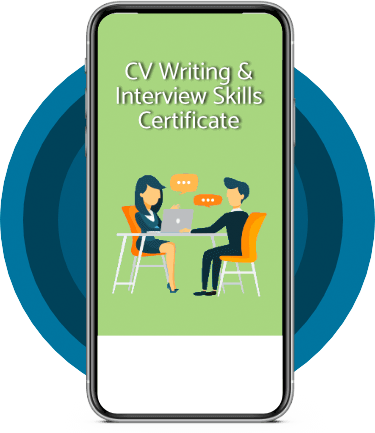
Tick this box to Sign up for our newsletter, and get access to the Interview Skills and CV Writing Certificate course for free! By signing up, you agree to our Privacy Notice & Cookie Policy and to receive marketing and related emails from academy+ brands. You can unsubscribe at any time.What our students say about us...

Omg im so excited, over joyed and all the good stuff that comes to mind! Wonderful experience doing lessons with New Skills Academy. I look foward to doing more courses with them. I hope this will encourage others to come on board and refresh your minds or to learn something new, it's a win win situation. I want to thank New Skills Academy so much for making this as simple as possible for me.
Shari Anderson
Lovely course for people who want to know the basics and of sign language. It's has helped me to get more of an understanding and will greatly benefit me in my workplace. So easy to pick up and the videos were easy to understand. Would definitely recommend to anyone.
Chloe Hambly

Excellent course, well explained and easy to understand. The course can be done at my own pace and is available on various devices. The layout of the course was excellent and the notes options is very good. The content is perfect and well structured, making it easy to understand and follow. I will definitely be taking more courses in the future.
Luis Costa

Wow what an incredible insight for the start of anyone's journey in property. This course gives you so much information and there are tests and questions on each of the modules. The course is very easy to follow and well laid out. You can actually make notes on the pages of each module using the notes tab! I am very excited to say that I passed and I only spent one week on this course. I will print all the PDF information and keep it in a file with my certificate. I feel very confident for my future plans now I have completed this course.
Nichola Anderson

I found this course incredibly useful, as it provided me with practical knowledge which I can implement in my role as a Support Worker. The videos were clear and concise, and the downloadable worksheets reinforced what I had learned as I was able to put pen to paper. Overall, a fantastic course for a great price! I am looking forward to taking on my next one.
Teleisha Harley

I took up this course initially to help me with my own dog, but found that as I worked through the material I actually started thinking that this could be something that I could use to make a second income. From start to finish I found the course engaging and interesting. I am now doing another dog related course and am experiencing the same level of enjoyment. I would recommend New Skills Academy without hesitation.
Keith Smith

Fantastic course! Well-presented and challenging with frequent assessments. I feel a serious sense of accomplishment having not studied for over 30 years! Videos that accompany each module are carefully thought out and informative. Am so impressed with this course, have now signed up for 3 other courses and recommending New Skills Academy to everyone!
Marva Hudson
This is a great course for any level of knowledge. Very easy to navigate, great practical tasks and explanations are very clear. You can revise any module with no problem. The test wasn’t too hard if you completed every module. It may be handy to make some notes before you start. Overall I'm very happy with my choice. Thank you New skills for my New skills :)
Julia Bobkova