Microsoft PowerPoint Certification


Why you should study with us
Microsoft PowerPoint Certification
The Microsoft PowerPoint Certification is ideal for individuals who would like to learn how to create and deliver multimedia presentations.
Please note: This course uses the Microsoft 365 version of PowerPoint. Any other versions will have some differences in the functions.
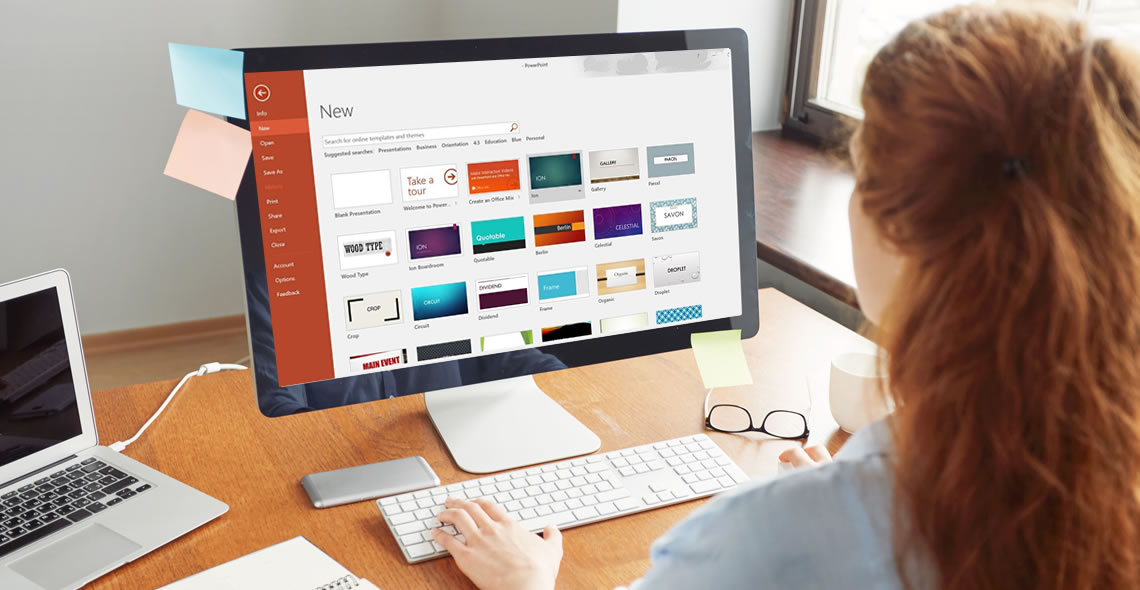
This training course provides all the information you will need to begin using PowerPoint in a wide variety of careers. PowerPoint is a program within Microsoft Office that can be utilised to create professional slideshows, videos and presentations.
As you work through this course, you will gain a comprehensive overview of the different features including handouts, slide presentations and more. You will also acquire the skills necessary to add text, images and charts within your presentations.
As this is an online course, students are offered the unique opportunity to study the curriculum at their own pace. This means that course material is available 24 hours a day, enabling you to study anytime, anywhere. Many students who take the courses are even able to continue working full time, while finishing their coursework in a reasonable amount of time.
Your coursework is accessible from any Internet-enabled device, and you will receive online support while you train. Additionally, you will find the course to be incredibly easy to navigate thanks to our flexible modules. Upon course completion, you must pass a multiple-choice exam and then you will be awarded your certification. Once you receive your certification, you can print it from home or we can post it for you for a small fee.
What You Will Learn
This course has been written to provide students with the information necessary to create presentations and is designed to put you on the fast track to success. This course covers the following information:
- How to create and save a PowerPoint presentation
- How to add, delete and arrange multiple slides
- How to insert charts, captions, quotes and name cards
- Inserting and formatting text within your slides
- Working with text alignment, bullet points, line spacing and columns
- How to utilise text direction and vertical alignment
- Inserting images, shapes, charts and creating photo albums
- How to insert online and screenshot images
- How to insert tables, text boxes, headers and footers
- Using SmartArt and other formatting features
- Converting your presentations into different formats
- How to add and edit hyperlinks
- Transitions and animations
- Using spellcheck and thesaurus
- How to create and add screen recordings within your slides
- Using linking and annotation features
- Adding notes and comments
- How to use the handout and notes master tools
Benefits of the Microsoft PowerPoint Course Certification
Students enrolled in this course will benefit from the following:
- The option to study from any location with a valid internet connection, anytime that you find convenient.
- The ability to study at a pace that you find comfortable. Since there is no time limit for this course, if it takes you days or months, you will still complete your training.
- You can study from any device including a tablet, PC or mobile phone.
- Easy to manage course modules, which makes studying an enjoyable experience.
- Convenient online support is available while you train.
- Access to a comprehensive syllabus, which helps you to stay on track while learning how to design PowerPoint presentations.
- Improve your job prospects while applying for work.
- Receive a certified and recognised qualification.
- Affordable tuition.
This course includes
24/7 Student Support
End of course certification
Lifetime access to your course
Compatible with modern devices
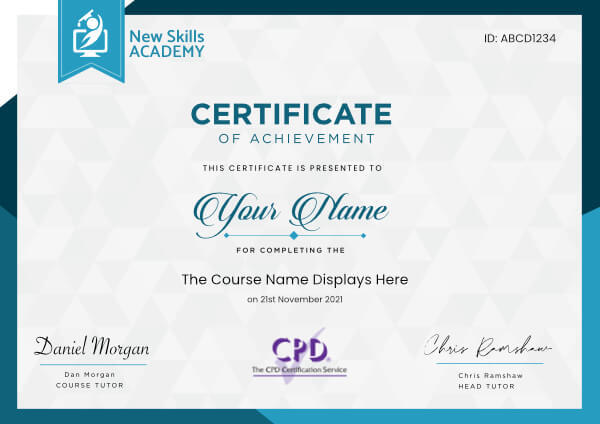
 ID: YDFT67YHJ
of achievement
This certificate is presented to
Your Name

For completing the
Microsoft PowerPoint Certification
on 21st November 2026
Selena Hurford
Selena Hurford
Course Tutor

Daniel Morgan
Daniel Morgan
Head of Academy
Anyone who has an interest in learning more about this subject matter is encouraged to take the course. There are no entry requirements to take the course.
The course is broken down into 45 individual modules. Each module takes between 20 and 90 minutes on average to study. Although you are free to spend as much or as little time as you feel necessary on each module, simply log in and out of the course at your convenience.
You can study the course any time you like. Simply log in and out of the web based course as often as you require. The course is compatible with all computers, tablet devices and smart phones so you can even study while on the move!
Once you have completed all 45 modules there is a multiple choice test. The questions will be on a range of topics found within the 45 modules. The test, like the course, is online and can be taken a time and location of your choosing.
The pass mark for the test is 70%.
If you don’t pass the test first time you will get further opportunities to take the test again after extra study. There are no limits to the number of times you can take the test. All test retakes are included within the price of the course.
You can either use your Visa, MasterCard, American Express, Solo cards or PayPal account to pay for the online course. Our site uses the latest SSL encryption to ensure your safety. All payments are handled securely by PayPal.
You can begin the course immediately after your payment has been received. You will create your login details during the checkout process. We will also send you an email confirming your login details.
We estimate that the course will take about 15 hours to complete in total, plus an additional 30 minutes for the end of course test.
Once you have been awarded your certificate it is valid for life. The certificate does not expire or need renewing.
I was worried that I wouldn't be able to manage this my course and work. But to my surprise and comfort this course is set out so well I find I'm enjoying learning again and look forward to putting my studying into practice in my future job role....it's brilliant !!!!

Marie Whitfield
I was extremely worried at first that it wouldn’t be what I want in a course but the course is honestly absolutely amazing! It’s made to be really enjoyable, fun and easy to complete and best of all in your own time.
I could not recommend New Skills Academy any more! It’s now gave me something more to put on to my CV and get my career started in the area I’d love to be in for the rest of my life. Thank you so much for helping me reach my goals and achieve my dreams!
I’ve recommended to all of my friends and would also recommend to anyone looking into doing a course. Go for it you won’t regret it!

Helen Buckwell
This course was a good introduction to payroll and the content was easy to read and well set out. I would recommend this course to anyone that would like to start out in payroll.
Mark McAuliffe
Excellent course. I enjoyed doing this course and I highly recommend it to everybody that start in the cleaning industry. Thank you very much.

David Sanchez
This course is brilliant! Extremely easy to follow and understand. You are able to do it in your own time so there's no pressure.
I've now just completed it and enjoyed the whole experience. I can't wait to get my little business up and running. Thank you all

Louisa Forsyth
I really enjoyed taking time to complete this Floristry diploma course online. I have been flower arranging for a few years now and wanted to improve my knowledge and skills. The course was very detailed and the assignments were good, some very creative, I found the history very interesting and how the different periods used flowers for decoration. I am really interested in wedding flower design modules fourteen and fifteen were of particular interest to me. I also found the starting your own business section very helpful. I would definitely recommend for anyone interested in Floristry to take the course.

Siobhan Conway
Microsoft PowerPoint Certification
The Microsoft PowerPoint Certification is ideal for individuals who would like to learn how to create and deliver multimedia presentations.
Please note: This course uses the Microsoft 365 version of PowerPoint. Any other versions will have some differences in the functions.
This training course provides all the information you will need to begin using PowerPoint in a wide variety of careers. PowerPoint is a program within Microsoft Office that can be utilised to create professional slideshows, videos and presentations.
As you work through this course, you will gain a comprehensive overview of the different features including handouts, slide presentations and more. You will also acquire the skills necessary to add text, images and charts within your presentations.
As this is an online course, students are offered the unique opportunity to study the curriculum at their own pace. This means that course material is available 24 hours a day, enabling you to study anytime, anywhere. Many students who take the courses are even able to continue working full time, while finishing their coursework in a reasonable amount of time.
Your coursework is accessible from any Internet-enabled device, and you will receive online support while you train. Additionally, you will find the course to be incredibly easy to navigate thanks to our flexible modules. Upon course completion, you must pass a multiple-choice exam and then you will be awarded your certification. Once you receive your certification, you can print it from home or we can post it for you for a small fee.
What You Will Learn
This course has been written to provide students with the information necessary to create presentations and is designed to put you on the fast track to success. This course covers the following information:
- How to create and save a PowerPoint presentation
- How to add, delete and arrange multiple slides
- How to insert charts, captions, quotes and name cards
- Inserting and formatting text within your slides
- Working with text alignment, bullet points, line spacing and columns
- How to utilise text direction and vertical alignment
- Inserting images, shapes, charts and creating photo albums
- How to insert online and screenshot images
- How to insert tables, text boxes, headers and footers
- Using SmartArt and other formatting features
- Converting your presentations into different formats
- How to add and edit hyperlinks
- Transitions and animations
- Using spellcheck and thesaurus
- How to create and add screen recordings within your slides
- Using linking and annotation features
- Adding notes and comments
- How to use the handout and notes master tools
Benefits of the Microsoft PowerPoint Course Certification
Students enrolled in this course will benefit from the following:
- The option to study from any location with a valid internet connection, anytime that you find convenient.
- The ability to study at a pace that you find comfortable. Since there is no time limit for this course, if it takes you days or months, you will still complete your training.
- You can study from any device including a tablet, PC or mobile phone.
- Easy to manage course modules, which makes studying an enjoyable experience.
- Convenient online support is available while you train.
- Access to a comprehensive syllabus, which helps you to stay on track while learning how to design PowerPoint presentations.
- Improve your job prospects while applying for work.
- Receive a certified and recognised qualification.
- Affordable tuition.
This course includes
24/7 Student Support
End of course certification
Lifetime access to your course
Compatible with modern devices
ID: YDFT67YHJ
of achievement
This certificate is presented to
Your Name
For completing the
Microsoft PowerPoint Certification
on 21st November 2026
Selena Hurford
Selena Hurford
Course Tutor
Daniel Morgan
Daniel Morgan
Head of Academy
Anyone who has an interest in learning more about this subject matter is encouraged to take the course. There are no entry requirements to take the course.
The course is broken down into 45 individual modules. Each module takes between 20 and 90 minutes on average to study. Although you are free to spend as much or as little time as you feel necessary on each module, simply log in and out of the course at your convenience.
You can study the course any time you like. Simply log in and out of the web based course as often as you require. The course is compatible with all computers, tablet devices and smart phones so you can even study while on the move!
Once you have completed all 45 modules there is a multiple choice test. The questions will be on a range of topics found within the 45 modules. The test, like the course, is online and can be taken a time and location of your choosing.
The pass mark for the test is 70%.
If you don’t pass the test first time you will get further opportunities to take the test again after extra study. There are no limits to the number of times you can take the test. All test retakes are included within the price of the course.
You can either use your Visa, MasterCard, American Express, Solo cards or PayPal account to pay for the online course. Our site uses the latest SSL encryption to ensure your safety. All payments are handled securely by PayPal.
You can begin the course immediately after your payment has been received. You will create your login details during the checkout process. We will also send you an email confirming your login details.
We estimate that the course will take about 15 hours to complete in total, plus an additional 30 minutes for the end of course test.
Once you have been awarded your certificate it is valid for life. The certificate does not expire or need renewing.
I was worried that I wouldn't be able to manage this my course and work. But to my surprise and comfort this course is set out so well I find I'm enjoying learning again and look forward to putting my studying into practice in my future job role....it's brilliant !!!!
Marie Whitfield
I was extremely worried at first that it wouldn’t be what I want in a course but the course is honestly absolutely amazing! It’s made to be really enjoyable, fun and easy to complete and best of all in your own time.
I could not recommend New Skills Academy any more! It’s now gave me something more to put on to my CV and get my career started in the area I’d love to be in for the rest of my life. Thank you so much for helping me reach my goals and achieve my dreams!
I’ve recommended to all of my friends and would also recommend to anyone looking into doing a course. Go for it you won’t regret it!
Helen Buckwell
This course was a good introduction to payroll and the content was easy to read and well set out. I would recommend this course to anyone that would like to start out in payroll.
Mark McAuliffe
Excellent course. I enjoyed doing this course and I highly recommend it to everybody that start in the cleaning industry. Thank you very much.
David Sanchez
This course is brilliant! Extremely easy to follow and understand. You are able to do it in your own time so there's no pressure.
I've now just completed it and enjoyed the whole experience. I can't wait to get my little business up and running. Thank you all
Louisa Forsyth
I really enjoyed taking time to complete this Floristry diploma course online. I have been flower arranging for a few years now and wanted to improve my knowledge and skills. The course was very detailed and the assignments were good, some very creative, I found the history very interesting and how the different periods used flowers for decoration. I am really interested in wedding flower design modules fourteen and fifteen were of particular interest to me. I also found the starting your own business section very helpful. I would definitely recommend for anyone interested in Floristry to take the course.
Siobhan Conway
Why you should study with us
Learn with confidence...

 RRP
$100
RRP
$100
Get a FREE Course
Tick this box to Sign up for our newsletter, and get access to the Interview Skills and CV Writing Certificate course for free! By signing up, you agree to our Privacy Notice & Cookie Policy and to receive marketing and related emails from academy+ brands. You can unsubscribe at any time.What our students say about us...

Omg im so excited, over joyed and all the good stuff that comes to mind! Wonderful experience doing lessons with New Skills Academy. I look foward to doing more courses with them. I hope this will encourage others to come on board and refresh your minds or to learn something new, it's a win win situation. I want to thank New Skills Academy so much for making this as simple as possible for me.
Shari Anderson
This is a great course for any level of knowledge. Very easy to navigate, great practical tasks and explanations are very clear. You can revise any module with no problem. The test wasn’t too hard if you completed every module. It may be handy to make some notes before you start. Overall I'm very happy with my choice. Thank you New skills for my New skills :)
Julia Bobkova

Excellent course, well explained and easy to understand. The course can be done at my own pace and is available on various devices. The layout of the course was excellent and the notes options is very good. The content is perfect and well structured, making it easy to understand and follow. I will definitely be taking more courses in the future.
Luis Costa

The course was clearly set out with helpful end of week tests which built my knowledge. Being dyslexic I found the course was set out in an easy to understand way. I was able to pass the test on my first attempt. The downloaded pdf are a useful resource that you can keep forever. Looking forward to the next course
Ross Dunsten
It was an eye opening course that was flexible and easy to access. I was able to complete it from the comfort of my own home whilst also having the tasks to complete which enabled me to check my knowledge. I know feel much more confident in my field of work and really enjoyed doing it.
Ellie Clarke
Lovely course for people who want to know the basics and of sign language. It's has helped me to get more of an understanding and will greatly benefit me in my workplace. So easy to pick up and the videos were easy to understand. Would definitely recommend to anyone.
Chloe Hambly
Yet another well laid out course. This is my 3rd course so far with New Skills Academy.
More than likely will be back for another one soon. This course was enjoyable to do, and I learnt a lot and passed first try. My certificate will be up on the wall soon.
Rob Coops

I took up this course initially to help me with my own dog, but found that as I worked through the material I actually started thinking that this could be something that I could use to make a second income. From start to finish I found the course engaging and interesting. I am now doing another dog related course and am experiencing the same level of enjoyment. I would recommend New Skills Academy without hesitation.
Keith Smith