Combined HR and Payroll Diploma


Why you should study with us

Includes the following courses:
Level 2 Diploma in Human Resources Payroll Diploma The Complete Microsoft Excel CourseCombined HR and Payroll Diploma Course
Human Resources (HR) is a vital component of any business.
With this combined course, you will not only gain valuable skills that will fast-track your career in this sector but you will also learn the foundations of payroll management.
Taken as a whole, this course will equip you with the ability to get the best performance from your company’s employees and ensure that their pay is managed in an efficient manner.
The course will benefit those employed in HR and accounting departments, and also those looking to set up or expand their own business. Upon completion of this in-depth course, you will be able to rest assured that you are acting in accordance with UK legislation.
What You Will Learn
This combined course includes the following elements:
- Level 2 Diploma in Human Resources
- Payroll Diploma
The HR Diploma Course
This course teaches you the purpose, value and nature of HR.
You will then learn exactly how to get the best possible performance from employees at every stage of their journey from initial recruitment through to promotion and training.
This course will allow you to develop all the skills you need to succeed, from interview techniques and welcoming new employees to understanding the nature and purpose of high-level strategic planning.
You will also learn how to deal with problems and grievances which may arise, including workplace bullying and disciplinary procedures.
Legislation and best practice are emphasised throughout, for example in relation to the employee recruitment process and drawing up contracts of employment.
The Payroll Diploma Course
This course begins with the most important information you need in order to appreciate the importance of payroll systems and how they work.
You will learn the importance of keeping good records, adequate staff training and ensuring that your processes are in line with the requirements laid down by HMRC.
When employees stop or start working for a company certain payroll procedures must be put into place, and this course explains exactly what you need to do in these situations.
You will learn the difference between gross and net pay, how to take into account various types of deductions, how to calculate national insurance contributions and many other essential procedures required in successful payroll management.
The Benefits of Our Complete HR & Payroll Course
This course will give you valuable insight into the most common procedures used by those working in HR and payroll positions.
The background provided by this course will enable you to progress in almost any small, medium or large business. You will gain knowledge not only of practical processes, but also how HR and businesses in general benefit from high-level strategic planning.
Further benefits include:
- Study at home and online
- Study at your own pace
- Access to full online support whilst completing the course
- Easy-to-read modules packed with information
- No entry requirements
- Receive an accredited qualification upon completion
If you are looking to advance your career in either HR or payroll, this combined course is an excellent choice as it will give you an excellent foundation in both areas. This will make you an attractive prospect to employers, or give you the confidence to hire and manage your own employees.
This course includes
24/7 Student Support
End of course certification
Lifetime access to your course
This is a bundle course, and contains the following courses:
HR Diploma Course
Human resources have become an integral part of almost every company around the world. Whether you own your own company or you are interested in working with people for a larger corporation, then the HR diploma may be the solution you are looking for. This course will guide you through human resources from the functions to providing you with valuable insight, advice and tips to ensure that you help your company achieve success and assist employees in achieving the best performance now and moving forward.
Introduction to HR Diploma
The HR Diploma is broken into twenty easy to manage modules which are brimming with valuable information. Each module focuses on various aspects within the human resources department, giving you the tools and information you need to ensure you provide the company and employees with the best service, ensuring that everything works smoothly each day and that employees remain motivated and passionate about what they do. This course is studied at your own pace and in your own time. You can choose to study it in one go over a number of days or you can spread it out, studying when you have time. The benefit to this is that you can continue working full time while securing the certification you need to fast track or change your career moving forward. On completion of the course, you will need to pass the multiple choice test. Once you successfully pass the test (you will be given two chances), then you can download and print your industry recognised certificate.
What you will learn
The course is designed to provide you with everything you need to know to enjoy a successful career in human resources. Whether you want to work at a company offering outsourcing solutions or you want to help your company retain your staff, you will find this information packed course offering you strategies, information and tips you can implement into your day right away.
- Learn what human resources are and what they entail. You will also learn the purpose and advantages of human resources.
- Identify human resources good practices.
- Learn interviewing techniques. You will be given information on preparing for an interview and the legal responsibilities when interviewing.
- Get insight on how to prepare for a new employee, how to make them feel welcome and have them settle in without delay to ensure productivity isn't slowed.
- Know what you need to add to employee guidelines and policy and procedure manuals. Learn about employee contracts, disciplinary action, grievance procedures and more.
- Get a firm understanding of what human capital management is along with important duties.
- Identify the HR skills needed from management skills to personal traits.
- Learn what the purpose of an HR toolkit is, its benefits and what to include.
- Learn about corporate social responsibility. This module includes green practices, strategy development and more.
- Know what organisational behaviour is, approaches, models and more.
- Learn how to effectively manage relationships.
- Understand motivation and commitment. Learn why teams may become demotivated, why retention is important and the cost of staff turnover.
- Get insight into performance management along with guiding principles and outcomes.
- Learn about training and development, what to include in training and how to set up an effective employee training programme.
- Identify the legal considerations.
- Learn about career development.
- Identify how technology has impacted HR.
- Learn the basics of compensation, leave, benefits and more.
- Get insight into dealing with workplace violence and bullying.
- Learn about strategic planning.
Benefits
This HR diploma will provide you with a host of benefits that you can take advantage of. These benefits include:
- Affordable learning
- Study online at your own pace
- Use any device linked to the internet
- Easy to understand information packed modules
- Online modules with lifetime access
- Online support
- Fast track your career in the human resources department
- Industry recognised certificate, which can be downloaded and printed immediately on passing the multiple choice test.
- Start using what you learn within the workplace without delay.
Payroll Diploma Course
Are you currently working in the accounts department and you want to fast-track your career and want to be more productive for your team and company? Do you own your own company and are hiring employees for the first time and you now have to learn the rules and regulations involved in payroll? This course will provide you with the knowledge, tools and skills you need to complete payroll in an effective manner.
Introduction to the Payroll Course
This payroll course is broken down into 23 information-packed modules which are designed to provide you with the essential tools and knowledge you need to complete payroll in an effective and orderly fashion at all times. The course is offered online, enabling you to study at your own pace and in your own time. You can study using your computer at home or your laptop, or you can choose to use your tablet or phone; as long as you have an internet connection.
The payroll course comes with a certification on successful completion. This enables potential employers to confirm your credentials and hire you with complete confidence. You will be required to pass an end-of-course test, however, if you do fail this initially you will be able to re-take the test.
Remember, you will have lifetime access to the learning modules for added convenience.
What you will learn
This course is brimming with useful and valuable information for you to learn and start using. The course is designed to provide you with insight that you can start incorporating into your work without delay. Some of the things you can expect to learn when completing the payroll course include:
- Gain an understanding of what payroll systems are and why you need one.
- Learn the basics of payroll systems. What you need to know, errors and the importance of communication.
- Identify the payroll systems in the United Kingdom. What to include and working with HMRC.
- Understand that you need to run an efficient payroll system. Staff training, reviews and record keeping plus much more.
- Gain insight on how employees starting and leaving the business impacts payroll. This module will provide insight into what to do, P45s and timekeeping
- Learn how to deal with HMRC when it comes to new employees, what information HMRC will need from you and how to ensure you pay the employee the correct amount each month or week.
- Learn how to calculate gross and net pay. This module will teach you the difference between gross and net pay, how to calculate them and why you need wage slips for each employee.
- Understand the different deductions you need to know about to come to net pay amounts.
- Gain insight into what statutory pay is, how long an employee qualifies, record keeping and reporting to HMRC.
- Learn about the national minimum wage based on age groups.
- Gain an understanding of the national insurance contribution systems. This module includes why we pay, the different rates, employer contributions and more.
- Learn how to manage the online PAYE system.
- Identify what the employment allowance is.
- Understand retirement schemes.
- Learn the different programs available for payroll.
- Tips to correct payroll errors.
- Understand the importance of annual reporting.
Benefits
There are so many benefits of completing this payroll course, these include:
- Fast-track your career.
- Gain insight into managing your own payroll within the United Kingdom.
- Understand what you need to have an effective payroll system in place.
- Study online at your own pace and using any device.
- Enjoy the convenience of information-packed modules.
- Comprehensive syllabus complete with online support.
- Lifetime access to modules to revisit and refresh whenever you wish.
The Complete Microsoft Excel Course
Please Note: This course uses the Microsoft 365 version of Excel. Any other versions will have some differences in the functions.
One of the most widely used programs in the world for visualising and analysing data is Microsoft Excel.
This software is used in almost every industry, not to mention for personal use in households around the world. Small business owners rely on Excel to track hours, finances and invoices and large corporations rely on Excel for data analysis, to visualise data and innumerable other tasks.
Whether you are brand new to the world of Excel or you have training and knowledge of the software and are looking to improve your skills, this series of courses can help.
By the time you finish the beginner, intermediate and advanced courses, you, too, will be an expert in Excel.
There is no time limit or deadline to complete the courses. You can access these courses from any mobile device, including tablets, computers and mobiles, as long as you have access to the internet.
Since the lessons in this course are only a few minutes each, it makes it very convenient to stop and start when necessary. This helps to study when you have time, even if you have less than 10 minutes or 15 minutes.
The following is an overview of each of the three Excel courses:
MS Excel Beginners Course
The MS Excel beginners course will give you a full overview of all of the most common features of Excel and how to use them.
Some of the highlights of this course include:
- A basic overview of Excel
- Calculating sums, averages and totals
- Counting cells
- Learning formulas, such as IF, COUNTIF, SUMIF, VLOOKUP, HLOOKUP and AVERAGEIF
- Pivot tables
- Inserting, editing and deleting comments
- Creating borders
- Wrapping text
- Merging cells
- Pasting, sorting and converting columns to rows
- Creating graphs and charts
- Using the dictionary
This beginners course is recommended for anyone who might use Excel at home or at work for uncomplicated reasons, such as tracking simple expenditures or for calculating sums or totals.
This course is ideal for anyone who has never used Excel or for those who have only a rudimentary understanding of the software. It is also perfect for anyone who is familiar with the older versions of the software, but not the latest version.
If you are re-entering the workforce, you will also find that this course will suit you well and will certainly get you caught up with the rest of your peers.
The course begins with explaining concepts, such as ‘What is a cell?’ and how to tell the difference between a column and a row.
The course continues by explaining basic Excel concepts such as how to create, copy, delete and cut information from Excel cells. You will also learn how to edit information that is put into a cell and how to insert and edit comments when using Excel.
The second half of the beginner’s Excel overview, which is only a small part of the beginner’s course, will cover sheets, which is an entirely different concept than cells. In this section, you will learn how to rename a sheet, delete a sheet, hide and unhide a sheet and move and copy a sheet.
You will also learn how to change the colour of tabs.
After mastering the beginner’s overview, the rest of the beginner course will go further into these concepts and then teach details on how to perform basic functions. Each video in the course shows where one can learn more about the concept covered in the course, as well as the difficulty level of the concept. There is also a full explanation of the concept and the instructor of the course visually takes students through each concept step by step on the screen.
When you finish this course, you will have a basic understanding of how to use many of the functions of Excel and use the program with ease. You will then be fully prepared to move ahead to the intermediate course.
MS Excel Intermediate Course
The MS Excel Intermediate Course will take what you learnt in the beginner course and expand upon it. Additionally, this course will teach you more advanced concepts than those that were presented in the beginner course.
Some of the highlights of the intermediate Excel course include the following:
- Learning more about intermediate Excel functions including ABS, SUMIF, HLOOKUP, VLOOKUP, COUNTIF, AVERAGEIF, AVERAGEIFS and AVERAGEA
- Data validation with date, list, time and numbers
- Functions such as RANK, MIN, MAX, CHAR, MODE, MEDIAN, CODE, CLEAN and EXACT
- How to remove duplicates in Excel
- Creating random numbers
- Changing text case
- Adding custom backgrounds
- Zooming in and out of Excel
- How to auto fill data
- Adding special characters
- Changing border colour and theme
Before jumping into the MS Excel Intermediate course, one should have a good basic overview of the beginner Excel functions. Those with experience in Excel might feel as if they can skip the beginner course, but it is best to at least go through the course and review it before starting the intermediate curriculum.
Like the beginner course, the intermediate course is set up into short modules and you can watch the module videos on any device that can connect to the internet.
The curriculum in the intermediate course is designed for those who work with Excel in the workplace and it is primarily for those who want to improve their skills with this program.
There is a lot of useful information found in this course and these skills are necessary for anyone who is going into investments, banking or consulting and will also be useful for administrators or for those who track or analyse a lot of data.
If you are someone who is new to the workforce, you, too, will find that employers are looking for candidates with at least intermediate Excel skills.
The first several modules of the intermediate Excel course teaches students how to use formulas, including HLOOKUP, VLOOKUP, COUNTIF and ABS. Data validation information follows this and students work through several modules, each of which are focused on a type of data validation, such as date, list and time.
The course continues with more information on specific formulas, which include CHAR, CODE, MEDIAN, MODE and ROUND. Additional information is given on how to manipulate these formulas to meet your needs as an Excel user.
Other information in the MS Excel Intermediate Course includes how to change the text in Excel, i.e. changing text to all upper case or lower case. You will also learn how to change the background and add a custom image and information on auto-filling in Excel.
Finally, this course will teach students how to use AutoFill, how to insert special characters and how to draw borders. Upon completion of this course, you will know about most of the functions that Excel has and how to use this software at an intermediate level. Additionally, you will have the skills necessary to use Excel in most business environments.
You will also be fully prepared to begin the MS Excel Advanced Course.
Microsoft Excel Advanced Course
The MS Excel Advanced Course is the longest and the most comprehensive of the three Excel courses presented here.
However, if you have successfully passed the beginner and the intermediate courses, you should consider yourself fully prepared to begin the advanced course.
Formulas, or functions, are what advanced users of Excel want from this tool. When one uses formulas, not only can they see the data they require for their work, they can also analyse it and get answers to very complex questions.
Though any person with a small amount of Excel knowledge can use formulas, such as SUM, a user who has advanced Excel skills will use other formulas, both alone and combined, such as MATCH, INDEX, DSUM and VLOOKUP. In addition to knowing these formulas, those who are advanced users of Excel know how to debug these formulas, how to audit them and how to choose the perfect formula for the occasion.
What you will learn
Some of the concepts that you will learn in the MS Excel Advance Course include the following:
- Add a Password
- VLOOKUP Advanced formula options and manipulations
- Other advanced functions including OR, AND, CHOOSE, INDIRECT, REPLACE, LEN, LEFT, FIND
- Functions including CEILING, CORREL, DATEDIF, DATEVALUE, DAVERAGE and EDATE
- Colouring a column and row with a formula
- Highlighting a cell with a formula
- Functions including ISODD, ISNUMBER, ISTEXT, ISLOGICAL, ISNONTEXT, ISERR and ISBLANK
- Functions including DGET, DMAX, DPRODUCT, DCOUNTA, DCOUNT and DSUM
- How to calculate depreciation in Excel, including SLN depreciation and SYD depreciation
- Calculating loan IPMT and EMI
- Functions including DATEDIF, DATEVALUE, EDATE, EOMONTH, MATCH and INDEX
- Full explanation of the INDEX and MATCH functions, covering several modules
- Looking up data
- Selecting only cells containing comments
- Hiding formulas
- Automatically inserting serial numbers
As you can see, the information you will get from the MS Excel Advanced Course will fully prepare you for virtually any career path, including those that require advanced skills with this software.
Once you complete the advanced course, you will have access to the full functionality of Excel and will know how to use all formulas, functions and capabilities.
Though this course is the longest and most involved of the three, once you complete it, you will have the knowledge and skills that most can only dream of.
This course opens with a focus on the VLOOKUP formula and several modules teach students how to use this function in their work. The course continues with modules on the OR and AND commands and then focuses on other functions, such as REPLACE, LEN, LEFT and FIND.
You will also learn about calculating depreciation, calculating interest and even calculating IPMT and EMI for loans, all by using Excel functions.
Additionally, the course features information on INDEX and MATCH functions, which is extremely important in certain industries and positions. The course also shows students how to use the CHOOSE formula and how to create special charts.
Finally, the course will show how to automatically enter serial numbers and perform extremely advanced functions.
The advanced Excel course is designed for power users. The general population would not use the information contained within this course, but there are some features taught in the advanced course that can make your Excel usage easier. However, it is recommended that those who take this Excel course continue with the advanced course for a number of reasons.
First, getting more knowledge about Excel can help you to master the beginner and intermediate concepts. Additionally, no one has ever lost anything by having more knowledge. You might find that knowing this information will help you in the future, too, as you never know when the organisation you work for might require the services of an Excel expert. These people are paid quite well and are an invaluable addition to most companies.
Too many people believe that advanced Excel concepts are only useful for those who are interested in programming or concepts such as financial modelling. This, however, is not totally true. The actual truth is that the information contained within this course could be the key to your next promotion or your next job.
All three of these courses are designed to improve the knowledge you have with Excel, no matter if you are a beginner, intermediate, or an advanced user.
Since these courses are divided into sections, you will also find that they are convenient and it is possible to learn and study during your free time.
Additionally, as the modules in the courses are only a few minutes long, for the most part, you don’t have to take a lot of time during your day to focus on an individual module.
Finally, since these courses are available online, again, you can access them from any internet-enabled device.
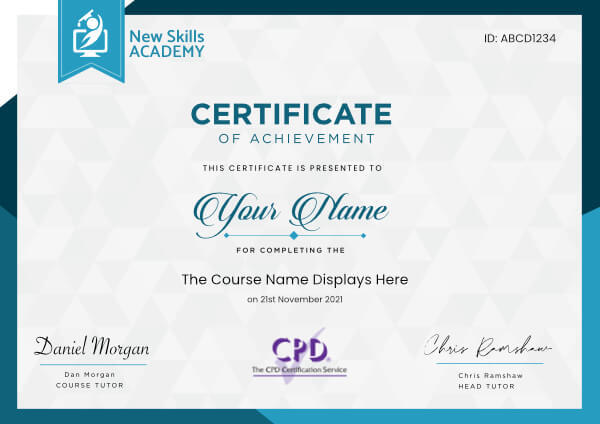
 ID: YDFT67YHJ
of achievement
This certificate is presented to
Your Name

For completing the
Combined HR and Payroll Diploma
on 21st November 2026
Selena Hurford
Selena Hurford
Course Tutor

Daniel Morgan
Daniel Morgan
Head of Academy
Anyone who has an interest in learning more about this subject matter is encouraged to take the course. There are no entry requirements to take the course.
The course is broken down into 0 individual modules. Each module takes between 20 and 90 minutes on average to study. Although you are free to spend as much or as little time as you feel necessary on each module, simply log in and out of the course at your convenience.
You can study the course any time you like. Simply log in and out of the web based course as often as you require. The course is compatible with all computers, tablet devices and smart phones so you can even study while on the move!
Once you have completed all 0 modules there is a multiple choice test. The questions will be on a range of topics found within the 0 modules. The test, like the course, is online and can be taken a time and location of your choosing.
The pass mark for the test is 70%.
If you don’t pass the test first time you will get further opportunities to take the test again after extra study. There are no limits to the number of times you can take the test. All test retakes are included within the price of the course.
You can either use your Visa, MasterCard, American Express, Solo cards or PayPal account to pay for the online course. Our site uses the latest SSL encryption to ensure your safety. All payments are handled securely by PayPal.
You can begin the course immediately after your payment has been received. You will create your login details during the checkout process. We will also send you an email confirming your login details.
We estimate that the course will take about 30 hours to complete in total, plus an additional 30 minutes for the end of course test.
Once you have been awarded your certificate it is valid for life. The certificate does not expire or need renewing.
I have learnt a lot. Thank you!
 I really enjoyed the course. I found it very informative and straightforward.
It provided me with all facts and details about payroll, how to run it smoothly and how to communicate with HMRC. I like the format of the written information, it selects vital facts to remember and highlights the most important information that should be learnt.
Even with all the reading required, it kept me interested during whole course. The exam covers everything that should be learnt during the course and the diploma looks professional. I have learnt a lot. Thank you! I will return for some more courses.
Agata Kwiatkowska - Leeds
I really enjoyed the course. I found it very informative and straightforward.
It provided me with all facts and details about payroll, how to run it smoothly and how to communicate with HMRC. I like the format of the written information, it selects vital facts to remember and highlights the most important information that should be learnt.
Even with all the reading required, it kept me interested during whole course. The exam covers everything that should be learnt during the course and the diploma looks professional. I have learnt a lot. Thank you! I will return for some more courses.
Agata Kwiatkowska - Leeds
 The course is easy to use and follow with separate sections. This is a good intro to the basics and needs for payroll in a company. I always use New Skills Academy now for any personal and professional development. Lauri Jones
 This is a fantastic course, and I highly recommend it to anyone looking to build a career in payroll. I cannot wait to use the skills I’ve learned in my career. Olalekan Segun Abodunrin
Combined HR and Payroll Diploma Course
Human Resources (HR) is a vital component of any business.
With this combined course, you will not only gain valuable skills that will fast-track your career in this sector but you will also learn the foundations of payroll management.
Taken as a whole, this course will equip you with the ability to get the best performance from your company’s employees and ensure that their pay is managed in an efficient manner.
The course will benefit those employed in HR and accounting departments, and also those looking to set up or expand their own business. Upon completion of this in-depth course, you will be able to rest assured that you are acting in accordance with UK legislation.
What You Will Learn
This combined course includes the following elements:
- Level 2 Diploma in Human Resources
- Payroll Diploma
The HR Diploma Course
This course teaches you the purpose, value and nature of HR.
You will then learn exactly how to get the best possible performance from employees at every stage of their journey from initial recruitment through to promotion and training.
This course will allow you to develop all the skills you need to succeed, from interview techniques and welcoming new employees to understanding the nature and purpose of high-level strategic planning.
You will also learn how to deal with problems and grievances which may arise, including workplace bullying and disciplinary procedures.
Legislation and best practice are emphasised throughout, for example in relation to the employee recruitment process and drawing up contracts of employment.
The Payroll Diploma Course
This course begins with the most important information you need in order to appreciate the importance of payroll systems and how they work.
You will learn the importance of keeping good records, adequate staff training and ensuring that your processes are in line with the requirements laid down by HMRC.
When employees stop or start working for a company certain payroll procedures must be put into place, and this course explains exactly what you need to do in these situations.
You will learn the difference between gross and net pay, how to take into account various types of deductions, how to calculate national insurance contributions and many other essential procedures required in successful payroll management.
The Benefits of Our Complete HR & Payroll Course
This course will give you valuable insight into the most common procedures used by those working in HR and payroll positions.
The background provided by this course will enable you to progress in almost any small, medium or large business. You will gain knowledge not only of practical processes, but also how HR and businesses in general benefit from high-level strategic planning.
Further benefits include:
- Study at home and online
- Study at your own pace
- Access to full online support whilst completing the course
- Easy-to-read modules packed with information
- No entry requirements
- Receive an accredited qualification upon completion
If you are looking to advance your career in either HR or payroll, this combined course is an excellent choice as it will give you an excellent foundation in both areas. This will make you an attractive prospect to employers, or give you the confidence to hire and manage your own employees.
This course includes
24/7 Student Support
End of course certification
Lifetime access to your course
This is a bundle course, and contains the following courses:
HR Diploma Course
Human resources have become an integral part of almost every company around the world. Whether you own your own company or you are interested in working with people for a larger corporation, then the HR diploma may be the solution you are looking for. This course will guide you through human resources from the functions to providing you with valuable insight, advice and tips to ensure that you help your company achieve success and assist employees in achieving the best performance now and moving forward.
Introduction to HR Diploma
The HR Diploma is broken into twenty easy to manage modules which are brimming with valuable information. Each module focuses on various aspects within the human resources department, giving you the tools and information you need to ensure you provide the company and employees with the best service, ensuring that everything works smoothly each day and that employees remain motivated and passionate about what they do. This course is studied at your own pace and in your own time. You can choose to study it in one go over a number of days or you can spread it out, studying when you have time. The benefit to this is that you can continue working full time while securing the certification you need to fast track or change your career moving forward. On completion of the course, you will need to pass the multiple choice test. Once you successfully pass the test (you will be given two chances), then you can download and print your industry recognised certificate.
What you will learn
The course is designed to provide you with everything you need to know to enjoy a successful career in human resources. Whether you want to work at a company offering outsourcing solutions or you want to help your company retain your staff, you will find this information packed course offering you strategies, information and tips you can implement into your day right away.
- Learn what human resources are and what they entail. You will also learn the purpose and advantages of human resources.
- Identify human resources good practices.
- Learn interviewing techniques. You will be given information on preparing for an interview and the legal responsibilities when interviewing.
- Get insight on how to prepare for a new employee, how to make them feel welcome and have them settle in without delay to ensure productivity isn't slowed.
- Know what you need to add to employee guidelines and policy and procedure manuals. Learn about employee contracts, disciplinary action, grievance procedures and more.
- Get a firm understanding of what human capital management is along with important duties.
- Identify the HR skills needed from management skills to personal traits.
- Learn what the purpose of an HR toolkit is, its benefits and what to include.
- Learn about corporate social responsibility. This module includes green practices, strategy development and more.
- Know what organisational behaviour is, approaches, models and more.
- Learn how to effectively manage relationships.
- Understand motivation and commitment. Learn why teams may become demotivated, why retention is important and the cost of staff turnover.
- Get insight into performance management along with guiding principles and outcomes.
- Learn about training and development, what to include in training and how to set up an effective employee training programme.
- Identify the legal considerations.
- Learn about career development.
- Identify how technology has impacted HR.
- Learn the basics of compensation, leave, benefits and more.
- Get insight into dealing with workplace violence and bullying.
- Learn about strategic planning.
Benefits
This HR diploma will provide you with a host of benefits that you can take advantage of. These benefits include:
- Affordable learning
- Study online at your own pace
- Use any device linked to the internet
- Easy to understand information packed modules
- Online modules with lifetime access
- Online support
- Fast track your career in the human resources department
- Industry recognised certificate, which can be downloaded and printed immediately on passing the multiple choice test.
- Start using what you learn within the workplace without delay.
Payroll Diploma Course
Are you currently working in the accounts department and you want to fast-track your career and want to be more productive for your team and company? Do you own your own company and are hiring employees for the first time and you now have to learn the rules and regulations involved in payroll? This course will provide you with the knowledge, tools and skills you need to complete payroll in an effective manner.
Introduction to the Payroll Course
This payroll course is broken down into 23 information-packed modules which are designed to provide you with the essential tools and knowledge you need to complete payroll in an effective and orderly fashion at all times. The course is offered online, enabling you to study at your own pace and in your own time. You can study using your computer at home or your laptop, or you can choose to use your tablet or phone; as long as you have an internet connection.
The payroll course comes with a certification on successful completion. This enables potential employers to confirm your credentials and hire you with complete confidence. You will be required to pass an end-of-course test, however, if you do fail this initially you will be able to re-take the test.
Remember, you will have lifetime access to the learning modules for added convenience.
What you will learn
This course is brimming with useful and valuable information for you to learn and start using. The course is designed to provide you with insight that you can start incorporating into your work without delay. Some of the things you can expect to learn when completing the payroll course include:
- Gain an understanding of what payroll systems are and why you need one.
- Learn the basics of payroll systems. What you need to know, errors and the importance of communication.
- Identify the payroll systems in the United Kingdom. What to include and working with HMRC.
- Understand that you need to run an efficient payroll system. Staff training, reviews and record keeping plus much more.
- Gain insight on how employees starting and leaving the business impacts payroll. This module will provide insight into what to do, P45s and timekeeping
- Learn how to deal with HMRC when it comes to new employees, what information HMRC will need from you and how to ensure you pay the employee the correct amount each month or week.
- Learn how to calculate gross and net pay. This module will teach you the difference between gross and net pay, how to calculate them and why you need wage slips for each employee.
- Understand the different deductions you need to know about to come to net pay amounts.
- Gain insight into what statutory pay is, how long an employee qualifies, record keeping and reporting to HMRC.
- Learn about the national minimum wage based on age groups.
- Gain an understanding of the national insurance contribution systems. This module includes why we pay, the different rates, employer contributions and more.
- Learn how to manage the online PAYE system.
- Identify what the employment allowance is.
- Understand retirement schemes.
- Learn the different programs available for payroll.
- Tips to correct payroll errors.
- Understand the importance of annual reporting.
Benefits
There are so many benefits of completing this payroll course, these include:
- Fast-track your career.
- Gain insight into managing your own payroll within the United Kingdom.
- Understand what you need to have an effective payroll system in place.
- Study online at your own pace and using any device.
- Enjoy the convenience of information-packed modules.
- Comprehensive syllabus complete with online support.
- Lifetime access to modules to revisit and refresh whenever you wish.
The Complete Microsoft Excel Course
Please Note: This course uses the Microsoft 365 version of Excel. Any other versions will have some differences in the functions.
One of the most widely used programs in the world for visualising and analysing data is Microsoft Excel.
This software is used in almost every industry, not to mention for personal use in households around the world. Small business owners rely on Excel to track hours, finances and invoices and large corporations rely on Excel for data analysis, to visualise data and innumerable other tasks.
Whether you are brand new to the world of Excel or you have training and knowledge of the software and are looking to improve your skills, this series of courses can help.
By the time you finish the beginner, intermediate and advanced courses, you, too, will be an expert in Excel.
There is no time limit or deadline to complete the courses. You can access these courses from any mobile device, including tablets, computers and mobiles, as long as you have access to the internet.
Since the lessons in this course are only a few minutes each, it makes it very convenient to stop and start when necessary. This helps to study when you have time, even if you have less than 10 minutes or 15 minutes.
The following is an overview of each of the three Excel courses:
MS Excel Beginners Course
The MS Excel beginners course will give you a full overview of all of the most common features of Excel and how to use them.
Some of the highlights of this course include:
- A basic overview of Excel
- Calculating sums, averages and totals
- Counting cells
- Learning formulas, such as IF, COUNTIF, SUMIF, VLOOKUP, HLOOKUP and AVERAGEIF
- Pivot tables
- Inserting, editing and deleting comments
- Creating borders
- Wrapping text
- Merging cells
- Pasting, sorting and converting columns to rows
- Creating graphs and charts
- Using the dictionary
This beginners course is recommended for anyone who might use Excel at home or at work for uncomplicated reasons, such as tracking simple expenditures or for calculating sums or totals.
This course is ideal for anyone who has never used Excel or for those who have only a rudimentary understanding of the software. It is also perfect for anyone who is familiar with the older versions of the software, but not the latest version.
If you are re-entering the workforce, you will also find that this course will suit you well and will certainly get you caught up with the rest of your peers.
The course begins with explaining concepts, such as ‘What is a cell?’ and how to tell the difference between a column and a row.
The course continues by explaining basic Excel concepts such as how to create, copy, delete and cut information from Excel cells. You will also learn how to edit information that is put into a cell and how to insert and edit comments when using Excel.
The second half of the beginner’s Excel overview, which is only a small part of the beginner’s course, will cover sheets, which is an entirely different concept than cells. In this section, you will learn how to rename a sheet, delete a sheet, hide and unhide a sheet and move and copy a sheet.
You will also learn how to change the colour of tabs.
After mastering the beginner’s overview, the rest of the beginner course will go further into these concepts and then teach details on how to perform basic functions. Each video in the course shows where one can learn more about the concept covered in the course, as well as the difficulty level of the concept. There is also a full explanation of the concept and the instructor of the course visually takes students through each concept step by step on the screen.
When you finish this course, you will have a basic understanding of how to use many of the functions of Excel and use the program with ease. You will then be fully prepared to move ahead to the intermediate course.
MS Excel Intermediate Course
The MS Excel Intermediate Course will take what you learnt in the beginner course and expand upon it. Additionally, this course will teach you more advanced concepts than those that were presented in the beginner course.
Some of the highlights of the intermediate Excel course include the following:
- Learning more about intermediate Excel functions including ABS, SUMIF, HLOOKUP, VLOOKUP, COUNTIF, AVERAGEIF, AVERAGEIFS and AVERAGEA
- Data validation with date, list, time and numbers
- Functions such as RANK, MIN, MAX, CHAR, MODE, MEDIAN, CODE, CLEAN and EXACT
- How to remove duplicates in Excel
- Creating random numbers
- Changing text case
- Adding custom backgrounds
- Zooming in and out of Excel
- How to auto fill data
- Adding special characters
- Changing border colour and theme
Before jumping into the MS Excel Intermediate course, one should have a good basic overview of the beginner Excel functions. Those with experience in Excel might feel as if they can skip the beginner course, but it is best to at least go through the course and review it before starting the intermediate curriculum.
Like the beginner course, the intermediate course is set up into short modules and you can watch the module videos on any device that can connect to the internet.
The curriculum in the intermediate course is designed for those who work with Excel in the workplace and it is primarily for those who want to improve their skills with this program.
There is a lot of useful information found in this course and these skills are necessary for anyone who is going into investments, banking or consulting and will also be useful for administrators or for those who track or analyse a lot of data.
If you are someone who is new to the workforce, you, too, will find that employers are looking for candidates with at least intermediate Excel skills.
The first several modules of the intermediate Excel course teaches students how to use formulas, including HLOOKUP, VLOOKUP, COUNTIF and ABS. Data validation information follows this and students work through several modules, each of which are focused on a type of data validation, such as date, list and time.
The course continues with more information on specific formulas, which include CHAR, CODE, MEDIAN, MODE and ROUND. Additional information is given on how to manipulate these formulas to meet your needs as an Excel user.
Other information in the MS Excel Intermediate Course includes how to change the text in Excel, i.e. changing text to all upper case or lower case. You will also learn how to change the background and add a custom image and information on auto-filling in Excel.
Finally, this course will teach students how to use AutoFill, how to insert special characters and how to draw borders. Upon completion of this course, you will know about most of the functions that Excel has and how to use this software at an intermediate level. Additionally, you will have the skills necessary to use Excel in most business environments.
You will also be fully prepared to begin the MS Excel Advanced Course.
Microsoft Excel Advanced Course
The MS Excel Advanced Course is the longest and the most comprehensive of the three Excel courses presented here.
However, if you have successfully passed the beginner and the intermediate courses, you should consider yourself fully prepared to begin the advanced course.
Formulas, or functions, are what advanced users of Excel want from this tool. When one uses formulas, not only can they see the data they require for their work, they can also analyse it and get answers to very complex questions.
Though any person with a small amount of Excel knowledge can use formulas, such as SUM, a user who has advanced Excel skills will use other formulas, both alone and combined, such as MATCH, INDEX, DSUM and VLOOKUP. In addition to knowing these formulas, those who are advanced users of Excel know how to debug these formulas, how to audit them and how to choose the perfect formula for the occasion.
What you will learn
Some of the concepts that you will learn in the MS Excel Advance Course include the following:
- Add a Password
- VLOOKUP Advanced formula options and manipulations
- Other advanced functions including OR, AND, CHOOSE, INDIRECT, REPLACE, LEN, LEFT, FIND
- Functions including CEILING, CORREL, DATEDIF, DATEVALUE, DAVERAGE and EDATE
- Colouring a column and row with a formula
- Highlighting a cell with a formula
- Functions including ISODD, ISNUMBER, ISTEXT, ISLOGICAL, ISNONTEXT, ISERR and ISBLANK
- Functions including DGET, DMAX, DPRODUCT, DCOUNTA, DCOUNT and DSUM
- How to calculate depreciation in Excel, including SLN depreciation and SYD depreciation
- Calculating loan IPMT and EMI
- Functions including DATEDIF, DATEVALUE, EDATE, EOMONTH, MATCH and INDEX
- Full explanation of the INDEX and MATCH functions, covering several modules
- Looking up data
- Selecting only cells containing comments
- Hiding formulas
- Automatically inserting serial numbers
As you can see, the information you will get from the MS Excel Advanced Course will fully prepare you for virtually any career path, including those that require advanced skills with this software.
Once you complete the advanced course, you will have access to the full functionality of Excel and will know how to use all formulas, functions and capabilities.
Though this course is the longest and most involved of the three, once you complete it, you will have the knowledge and skills that most can only dream of.
This course opens with a focus on the VLOOKUP formula and several modules teach students how to use this function in their work. The course continues with modules on the OR and AND commands and then focuses on other functions, such as REPLACE, LEN, LEFT and FIND.
You will also learn about calculating depreciation, calculating interest and even calculating IPMT and EMI for loans, all by using Excel functions.
Additionally, the course features information on INDEX and MATCH functions, which is extremely important in certain industries and positions. The course also shows students how to use the CHOOSE formula and how to create special charts.
Finally, the course will show how to automatically enter serial numbers and perform extremely advanced functions.
The advanced Excel course is designed for power users. The general population would not use the information contained within this course, but there are some features taught in the advanced course that can make your Excel usage easier. However, it is recommended that those who take this Excel course continue with the advanced course for a number of reasons.
First, getting more knowledge about Excel can help you to master the beginner and intermediate concepts. Additionally, no one has ever lost anything by having more knowledge. You might find that knowing this information will help you in the future, too, as you never know when the organisation you work for might require the services of an Excel expert. These people are paid quite well and are an invaluable addition to most companies.
Too many people believe that advanced Excel concepts are only useful for those who are interested in programming or concepts such as financial modelling. This, however, is not totally true. The actual truth is that the information contained within this course could be the key to your next promotion or your next job.
All three of these courses are designed to improve the knowledge you have with Excel, no matter if you are a beginner, intermediate, or an advanced user.
Since these courses are divided into sections, you will also find that they are convenient and it is possible to learn and study during your free time.
Additionally, as the modules in the courses are only a few minutes long, for the most part, you don’t have to take a lot of time during your day to focus on an individual module.
Finally, since these courses are available online, again, you can access them from any internet-enabled device.
ID: YDFT67YHJ
of achievement
This certificate is presented to
Your Name
For completing the
Combined HR and Payroll Diploma
on 21st November 2026
Selena Hurford
Selena Hurford
Course Tutor
Daniel Morgan
Daniel Morgan
Head of Academy
Anyone who has an interest in learning more about this subject matter is encouraged to take the course. There are no entry requirements to take the course.
The course is broken down into 0 individual modules. Each module takes between 20 and 90 minutes on average to study. Although you are free to spend as much or as little time as you feel necessary on each module, simply log in and out of the course at your convenience.
You can study the course any time you like. Simply log in and out of the web based course as often as you require. The course is compatible with all computers, tablet devices and smart phones so you can even study while on the move!
Once you have completed all 0 modules there is a multiple choice test. The questions will be on a range of topics found within the 0 modules. The test, like the course, is online and can be taken a time and location of your choosing.
The pass mark for the test is 70%.
If you don’t pass the test first time you will get further opportunities to take the test again after extra study. There are no limits to the number of times you can take the test. All test retakes are included within the price of the course.
You can either use your Visa, MasterCard, American Express, Solo cards or PayPal account to pay for the online course. Our site uses the latest SSL encryption to ensure your safety. All payments are handled securely by PayPal.
You can begin the course immediately after your payment has been received. You will create your login details during the checkout process. We will also send you an email confirming your login details.
We estimate that the course will take about 30 hours to complete in total, plus an additional 30 minutes for the end of course test.
Once you have been awarded your certificate it is valid for life. The certificate does not expire or need renewing.
I have learnt a lot. Thank you!
I really enjoyed the course. I found it very informative and straightforward.
It provided me with all facts and details about payroll, how to run it smoothly and how to communicate with HMRC. I like the format of the written information, it selects vital facts to remember and highlights the most important information that should be learnt.
Even with all the reading required, it kept me interested during whole course. The exam covers everything that should be learnt during the course and the diploma looks professional. I have learnt a lot. Thank you! I will return for some more courses.
Agata Kwiatkowska - Leeds
The course is easy to use and follow with separate sections. This is a good intro to the basics and needs for payroll in a company. I always use New Skills Academy now for any personal and professional development. Lauri Jones
This is a fantastic course, and I highly recommend it to anyone looking to build a career in payroll. I cannot wait to use the skills I’ve learned in my career. Olalekan Segun Abodunrin
Why you should study with us
Learn with confidence...


 RRP
$100
RRP
$100
Get a FREE Course
Tick this box to Sign up for our newsletter, and get access to the Interview Skills and CV Writing Certificate course for free! By signing up, you agree to our Privacy Notice & Cookie Policy and to receive marketing and related emails from academy+ brands. You can unsubscribe at any time.What our students say about us...

Fantastic course! Well-presented and challenging with frequent assessments. I feel a serious sense of accomplishment having not studied for over 30 years! Videos that accompany each module are carefully thought out and informative. Am so impressed with this course, have now signed up for 3 other courses and recommending New Skills Academy to everyone!
Marva Hudson

This course is a great way to brush up on my rusty excel skills, I recommend this course to anyone looking for something to do during lockdown, it's easy to use and talks you through each stage step by step. It has given me the confidence I need to further my career.
Georgia Darke

Yet another well laid out course. This is my 3rd course so far with New Skills Academy.
More than likely will be back for another one soon. This course was enjoyable to do, and I learnt a lot and passed first try. My certificate will be up on the wall soon.
Rob Coops
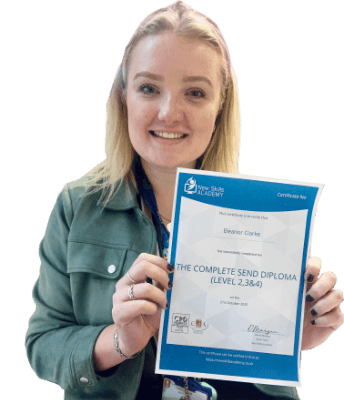
It was an eye opening course that was flexible and easy to access. I was able to complete it from the comfort of my own home whilst also having the tasks to complete which enabled me to check my knowledge. I know feel much more confident in my field of work and really enjoyed doing it.
Ellie Clarke

I found this course incredibly useful, as it provided me with practical knowledge which I can implement in my role as a Support Worker. The videos were clear and concise, and the downloadable worksheets reinforced what I had learned as I was able to put pen to paper. Overall, a fantastic course for a great price! I am looking forward to taking on my next one.
Teleisha Harley

Omg im so excited, over joyed and all the good stuff that comes to mind! Wonderful experience doing lessons with New Skills Academy. I look foward to doing more courses with them. I hope this will encourage others to come on board and refresh your minds or to learn something new, it's a win win situation. I want to thank New Skills Academy so much for making this as simple as possible for me.
Shari Anderson
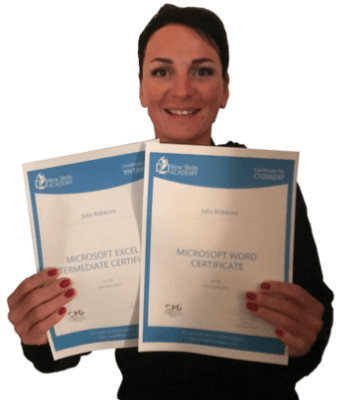
This is a great course for any level of knowledge. Very easy to navigate, great practical tasks and explanations are very clear. You can revise any module with no problem. The test wasn’t too hard if you completed every module. It may be handy to make some notes before you start. Overall I'm very happy with my choice. Thank you New skills for my New skills :)
Julia Bobkova

I am a doctor. This course is well organized, covering all areas of CBT. The videos and practical tips are very helpful. All the modules are arranged with good explanations and examples. Also each module consists of quick test and assignment which enables you to gain knowledge. Finally I would like to thank the New Skills Academy team.
Dr. M. Arshad